




Ads

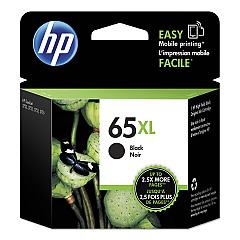
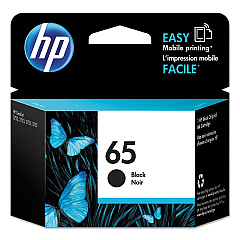
HP DeskJet 2630 Black Ink Cartridges

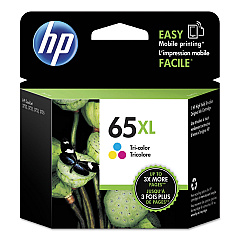
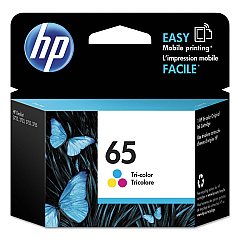
HP DeskJet 2630 Color Ink Cartridges

Ensure optimal performance for your HP DeskJet 2630 printer with genuine HP DeskJet 2630 Ink Cartridges. These high-quality cartridges are designed to deliver crisp text and vibrant colors for all your printing needs. Choose from a range of options including the HP N9K01AN Color Ink Cartridge, HP N9K02AN Black Ink Cartridge, HP N9K03AN Color Ink Cartridge, and HP N9K04AN Black Ink Cartridge. Each cartridge is engineered to work seamlessly with your printer, providing consistent results and preventing potential damage. Whether you're printing important documents for your business, school projects, or cherished family photos, these ink cartridges ensure professional-quality output every time. With long-lasting performance and easy installation, HP DeskJet 2630 Ink Cartridges are the smart choice for maintaining your printer's efficiency and extending its lifespan.

HP DeskJet 2630 Ink Cartridges FAQs

  • How long do HP DeskJet 2630 Ink Cartridges typically last?

    The lifespan of ink cartridges varies depending on usage, but on average, they can last for 200-300 pages for black ink and 150-200 pages for color ink.

  • Are these ink cartridges compatible with other HP printer models?

    These cartridges are specifically designed for the HP DeskJet 2630 printer. Always check your printer's compatibility before purchasing ink cartridges.

  • Can I use third-party ink cartridges in my HP DeskJet 2630?

    While third-party cartridges may work, using genuine HP ink cartridges ensures the best print quality and prevents potential damage to your printer.

  • How do I install new ink cartridges in my HP DeskJet 2630?

    Open the cartridge access door, wait for the carriage to move to the center, remove the old cartridge, insert the new one, and close the access door. The printer will automatically align the cartridges.

  • What's the difference between the N9K01AN/N9K03AN and N9K02AN/N9K04AN cartridges?

    The N9K01AN and N9K03AN are color ink cartridges, while the N9K02AN and N9K04AN are black ink cartridges. They may differ in ink capacity or be designed for different regions.

  • How can I tell if my ink cartridge is running low?

    Your printer software will typically alert you when ink levels are low. You can also check ink levels through the printer's control panel or by printing a test page.

  • Are these ink cartridges recyclable?

    Yes, HP offers a recycling program for used ink cartridges. You can return them to HP or participating retailers for proper recycling.

  • What should I do if my printer doesn't recognize the new ink cartridge?

    Try removing and reinserting the cartridge, cleaning the cartridge contacts, or updating your printer's firmware. If issues persist, contact HP support.

  • Can I buy these ink cartridges in bulk?

    Yes, many retailers offer multi-packs or bulk purchasing options for HP DeskJet 2630 Ink Cartridges, which can be more cost-effective for frequent users.

  • How should I store unused ink cartridges?

    Store unused cartridges in their original sealed packaging, at room temperature, and away from direct sunlight. This helps maintain their quality and extends their shelf life.

Warehouse Locations

Policy & Agreement | Copyright © 1995-2026 BlueDogInk.com
