HP Deskjet 1000 Printer Ink: HP 61 Black, Color & Combo Ink Cartridges

Ads

HP Deskjet 1000 Black Ink Cartridges

HP Deskjet 1000 Color Ink Cartridges

HP Deskjet 1000 Copy Paper

  • HP 115100 Multipurpose Paper

    Item 115100

    HP 115100 Multipurpose Paper

    HPM115RC Multipurpose Ultra White Paper, 96 Brightness, 20lb, 8-1/2 x 11, 500 sh..

    Status

    In Stock

    $50.99

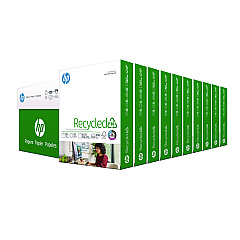
  • HP 112100 Recycled Paper

    Item 112100

    HP 112100 Recycled Paper

    HPE1120C Recycled Paper, 92 Bright, 20lb, 8-1/2 x 11, 500 sheets per ream, 10 re..

    Status

    In Stock

    Free Shipping

    $97.72

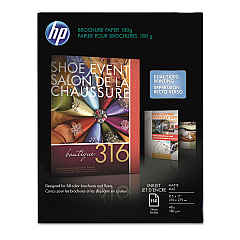
  • HP CH016A Inkjet Brochure Paper

    Item CH016A

    HP CH016A Inkjet Brochure Paper

    Inkjet Brochure/Flyer Paper, 103 Brightness, 48lb, 8-1/2 x 11, White, 150/Pack..

    Status

    In Stock

    $44.30

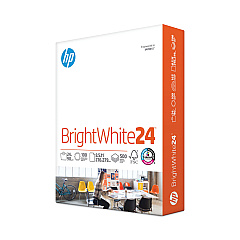
  • HP 203000 Bright White Inkjet Paper

    Item 203000

    HP 203000 Bright White Inkjet Paper

    HPB1124 Bright White Inkjet Paper, 97 Brightness, 24lb, 8-1/2 x 11, 500 Sheets/R..

    Status

    In Stock

    $14.10

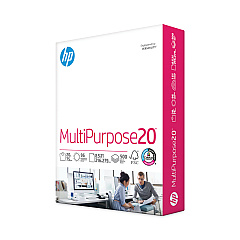
  • HP 112000 Multipurpose Paper

    Item 112000

    HP 112000 Multipurpose Paper

    HPM1120R Multipurpose Ultra White Paper, 96 Brightness, 20lb, 8 1/2 x 11, 500 Sh..

    Status

    In Stock

    $10.09

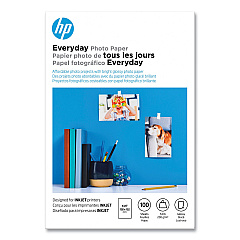
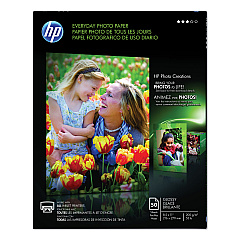
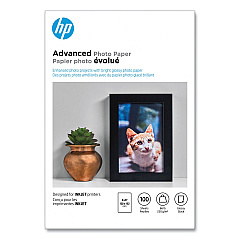
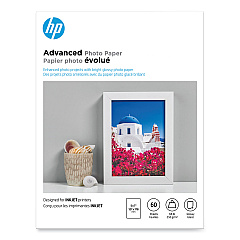
HP Deskjet 1000 Photo Paper

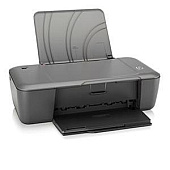
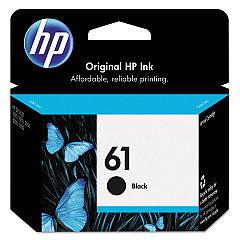
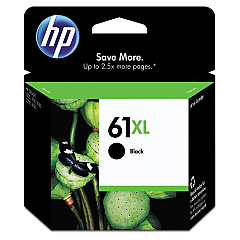
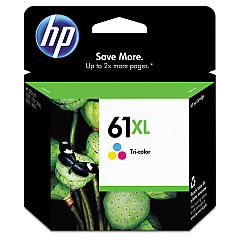
Keep your HP Deskjet 1000 printer running smoothly with our high-quality HP Deskjet 1000 Ink Cartridges. These reliable ink supplies ensure crisp text and vibrant color prints for all your home and office needs. Choose from a range of cartridge options, including the HP CH561WN Black Ink Cartridge for sharp monochrome documents, and the HP CH562WN Tricolor Ink Cartridge for stunning color prints. For higher volume printing, opt for the HP CH563WN Black Ink Cartridge or the HP CH564WN Tricolor Ink Cartridge, which offer extended page yields. Our genuine HP ink cartridges are designed specifically for your Deskjet 1000 printer, guaranteeing optimal performance and print quality. Whether you're printing important documents, school projects, or family photos, these ink cartridges deliver consistent, professional results every time. Stock up on HP Deskjet 1000 Ink Cartridges today and enjoy hassle-free printing for all your projects.

HP Deskjet 1000 Printer Ink: HP 61 Black, Color & Combo Ink Cartridges FAQs

  • What printers are compatible with HP 61 Ink?

    HP 61 ink cartridges work with: HP Deskjet 1000, HP Deskjet 1010, HP Deskjet 1012, HP Deskjet 1050, HP Deskjet 1051, HP Deskjet 1055, HP Deskjet 1056, HP Deskjet 1510, HP Deskjet 1512, HP Deskjet 1514, HP Deskjet 1051, HP Deskjet 2050, HP Deskjet 2510, HP Deskjet 2512, HP Deskjet 2514, HP Deskjet 2540, HP Deskjet 2541, HP Deskjet 2542, HP Deskjet 2543, HP Deskjet 2544, HP Deskjet 2546, HP Deskjet 2547, HP Deskjet 3000, HP Deskjet 3050, HP Deskjet 3051, HP Deskjet 3052, HP Deskjet 3054, HP Deskjet 3056, HP Deskjet 3510, HP Deskjet 3511, HP Deskjet 3512, HP ENVY 4500, HP ENVY 4502, HP ENVY 4504, HP ENVY 5530, HP ENVY 5531, HP ENVY 5532, HP ENVY 5534, HP ENVY 5535, HP Officejet 2620, HP Officejet 2621, HP Officejet 4630, HP Officejet 4632

  • What ink cartridges are compatible with the HP Deskjet 1000 printer?

    The HP Deskjet 1000 printer is compatible with HP CH561WN Black Ink Cartridge, HP CH562WN Tricolor Ink Cartridge, HP CH563WN Black Ink Cartridge, and HP CH564WN Tricolor Ink Cartridge.

  • Are HP 61 and HP 63 interchangeable?

    Please be advised that the HP 62 and the newer HP 62, HP 63, HP 64 and HP 65 cartridges may look similar, but they are not compatible and are not interchangeable. For example, printers designed to take the HP 63 cartridge will not work with the HP 61 or 65 cartridge, and vice versa.

  • How long do HP Deskjet 1000 ink cartridges typically last?

    The lifespan of ink cartridges varies depending on usage, but standard cartridges typically last for 190-200 pages for black and 165 pages for color. High-yield cartridges can print up to 480 pages for black and 330 pages for color.

  • Is it cheaper to buy a new printer than HP 61 ink?

    That is rarely, if ever, the case. Most individuals are unaware of the fact that new printers come with ink cartridges that are much smaller than what is made available for purchase. You may think you're saving money, but you'll need to buy ink for your printer more often so any savings you think you're getting is negligible. Something else many people don't realize is that brand new printers dump a ton of ink during their setup and calibration steps, so by the time you're ready to print your cartridge has already been partially depleted. Think of the impact on the environment, too. Your old printer is made almost entirely of plastic and will sit in a landfill for thousands of years.

  • Can I use third-party ink cartridges in my HP Deskjet 1000 printer?

    While third-party cartridges may work, HP recommends using genuine HP ink cartridges for optimal print quality and to avoid potential damage to your printer.

  • How much more ink does the HP 61 XL Ink cartridge have compared to the standard capacity HP 61 ink cartridge?

    You will get more than twice as many prints from a HP 61 XL cartridge compared to the regular HP 61 cartridge.

  • How do I install new ink cartridges in my HP Deskjet 1000 printer?

    To install new cartridges, turn on the printer, open the cartridge access door, wait for the carriage to move to the center, remove the old cartridge, insert the new one, and close the access door.

  • How long will HP 61 ink cartridges last and stay fresh?

    When stored properly, the cartridges can last for up to 24 months. To ensure maximum performance, keep them away from direct sun or cold temperatures, and in a normal temperature room. Extreme heat or cold can affect the ink quality of a cartridge, which can even render it nonfunctional. Keeping the cartridges in their original packaging until they are ready to be used will also extend their lifespan.

  • What's the difference between standard and high-yield ink cartridges?

    High-yield cartridges (HP CH563WN and CH564WN) contain more ink and can print more pages than standard cartridges (HP CH561WN and CH562WN), making them more cost-effective for high-volume printing.

  • How can I check the ink levels in my HP Deskjet 1000 printer?

    You can check ink levels through the HP printer software on your computer or by observing the ink level indicator lights on the printer itself.

  • Are HP Deskjet 1000 ink cartridges recyclable?

    Yes, HP offers a free recycling program for used ink cartridges. You can return them to HP or participating retailers for environmentally friendly disposal.

  • Can I use black ink only if my color cartridge runs out?

    Yes, the HP Deskjet 1000 can print using only the black cartridge if the color cartridge is empty or removed. However, for best performance, it's recommended to have both cartridges installed.

  • How should I store unused ink cartridges?

    Store unused cartridges in their original sealed packaging at room temperature, away from direct sunlight and heat sources, to maintain their quality and prevent them from drying out.

Warehouse Locations

Policy & Agreement | Copyright © 1995-2026 BlueDogInk.com