





Ads

HP Color LaserJet Enterprise M555 Waste Toner Kits

HP Color LaserJet Enterprise M555 Fusers

HP Color LaserJet Enterprise M555 Paper Trays

HP Color LaserJet Enterprise M555 Printer Accessories

HP Color LaserJet Enterprise M555 Warranty and Services

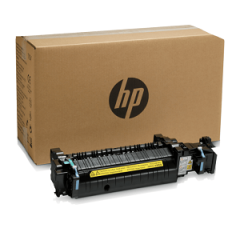
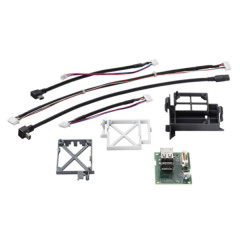
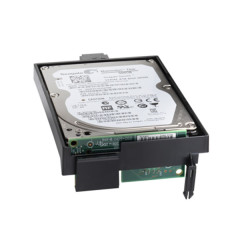
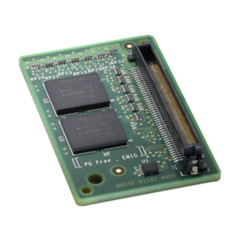
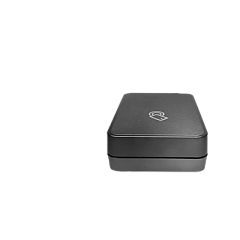
Enhance your printing capabilities with genuine HP Color LaserJet Enterprise M555 Toner Cartridges and accessories. These high-quality components ensure optimal performance and longevity for your printer. The range includes essential items like the HP 3JN69A BLE/NFC/Wireless Accessory for improved connectivity, the HP B5L28A Internal USB Port Kit for expanded functionality, and the HP B5L29A 500GB Internal Hard Disk Drive for increased storage. Boost your paper handling with the HP B5L34A Paper Tray, and maintain print quality with the HP B5L35A and B5L36A Fuser Kits. The HP B5L37A Toner Collection Unit helps manage waste efficiently, while the HP G6W84A 1GB Memory Module enhances processing speed. Complete your setup with the HP Printer Cabinet (B5L51A) for a professional and organized workspace. Trust these genuine HP supplies to deliver exceptional results for all your printing needs.

HP Color LaserJet Enterprise M555 Printers Supplies FAQs

  • Are these toner cartridges compatible with other HP printers?

    These toner cartridges are specifically designed for the HP Color LaserJet Enterprise M555 series. They may not be compatible with other HP printer models.

  • How often should I replace the toner cartridges?

    Replacement frequency depends on your printing volume. Most users replace toner cartridges when print quality diminishes or when prompted by the printer.

  • Can I use third-party toner cartridges with this printer?

    While third-party cartridges may work, HP recommends using genuine HP toner cartridges for optimal print quality and to maintain your printer's warranty.

  • What is the purpose of the HP B5L37A Toner Collection Unit?

    The Toner Collection Unit collects excess toner during printing, helping to keep your printer clean and maintain print quality.

  • How do I install the HP B5L28A Internal USB Port Kit?

    Installation should be performed by a qualified technician. Consult your printer's manual or contact HP support for detailed instructions.

  • What is the benefit of adding the HP G6W84A Memory Module?

    Adding this memory module can improve your printer's processing speed, especially when handling complex print jobs or multiple tasks simultaneously.

  • How often should the HP B5L35A Fuser Kit be replaced?

    The fuser kit typically needs replacement after 150,000 to 200,000 pages, depending on usage. Your printer will alert you when replacement is necessary.

  • Is the HP B5L29A 500GB Internal Hard Disk Drive necessary?

    While not essential for basic printing, the hard drive allows for job storage, secure printing, and improved performance with complex print jobs.

  • What is the capacity of the HP B5L34A Paper Tray?

    The HP B5L34A Paper Tray has a capacity of 550 sheets, allowing for extended printing without frequent paper refills.

  • Does the HP Printer Cabinet (B5L51A) come assembled?

    The printer cabinet typically requires some assembly. Detailed instructions are included, and the process is straightforward for most users.

Warehouse Locations

Policy & Agreement | Copyright © 1995-2026 BlueDogInk.com
