














Ads

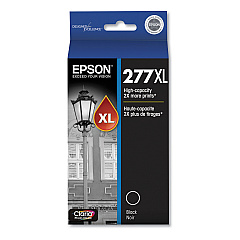
Epson XP-970 Black Ink Cartridges

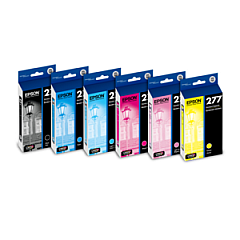
Epson XP-970 Ink Set

Epson XP-970 Maintenance Kits

Epson XP-970 Photo Paper

Discover premium-quality Epson XP-970 Ink Cartridges for your printing needs. Our comprehensive range includes the Epson T277 Ink Cartridge Set, featuring individual cartridges in black, cyan, magenta, yellow, light cyan, and light magenta. For high-volume printing, choose the Epson T277XL series, offering extended yield options in all colors. The Epson T277920 Color Multi-Pack provides a convenient, cost-effective solution for multi-color printing tasks. Maintain your printer's optimal performance with the Epson T366 Ink Maintenance Box T366100. Whether you're a professional photographer, small business owner, or home user, our Epson XP-970 Ink Cartridges deliver exceptional print quality and reliability. Trust BlueDogInk.com for genuine Epson supplies to keep your XP-970 printer producing vivid, long-lasting prints that bring your ideas to life.

Epson XP-970 Ink Cartridges FAQs

  • Are these Epson XP-970 Ink Cartridges genuine?

    Yes, all ink cartridges sold on BlueDogInk.com for the Epson XP-970 are genuine Epson products.

  • What's the difference between T277 and T277XL cartridges?

    T277XL cartridges have a higher ink capacity and yield more prints than standard T277 cartridges.

  • How long do these ink cartridges last?

    The lifespan of ink cartridges varies depending on usage, but XL cartridges typically last longer than standard ones.

  • Can I use third-party ink cartridges in my Epson XP-970?

    While third-party cartridges may work, we recommend using genuine Epson cartridges for optimal print quality and to maintain your printer's warranty.

  • What is the Epson T366 Ink Maintenance Box used for?

    The T366 Ink Maintenance Box collects waste ink during printing and cleaning cycles, helping to maintain your printer's performance.

  • How often should I replace the Ink Maintenance Box?

    Replace the Ink Maintenance Box when prompted by your printer or when it's full, which varies based on usage.

  • Are these cartridges compatible with other Epson printer models?

    These cartridges are specifically designed for the Epson XP-970. Always check your printer's compatibility before purchasing.

  • How do I install new ink cartridges in my Epson XP-970?

    Follow the instructions in your printer's manual. Generally, you'll need to turn on the printer, open the cartridge cover, and replace the empty cartridges with new ones.

  • What should I do if my printer doesn't recognize a new cartridge?

    Try removing and reinserting the cartridge. If the issue persists, clean the cartridge contacts and try again. If problems continue, contact Epson support.

  • Do you offer bulk discounts on Epson XP-970 Ink Cartridges?

    Yes, we offer discounts on bulk purchases. Please check our website or contact our customer service for current promotions and volume pricing.

Warehouse Locations

Policy & Agreement | Copyright © 1995-2026 BlueDogInk.com
