





Ads

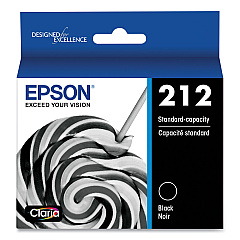
Epson WorkForce WF-2850 Black Ink Cartridges

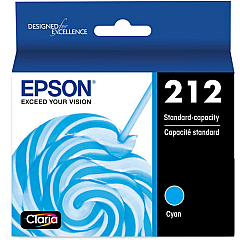
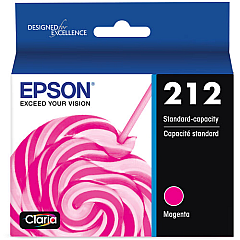
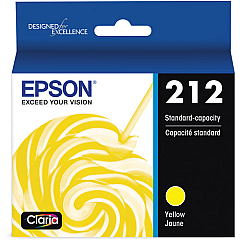
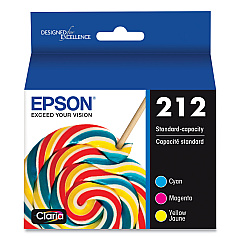
Epson WorkForce WF-2850 Color Ink Cartridges

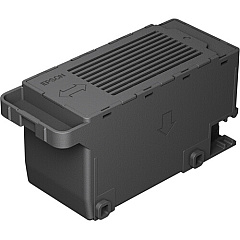
Epson WorkForce WF-2850 Maintenance Kits

Enhance your printing experience with genuine Epson WorkForce WF-2850 Ink Cartridges. These high-quality cartridges are designed to deliver exceptional results for your home or small office needs. The comprehensive range includes individual black, cyan, magenta, and yellow cartridges, as well as a convenient color multi-pack option. For optimal maintenance, the T212 Ink Maintenance Box ensures your printer remains in top condition. These cartridges produce crisp text and vibrant colors, perfect for both everyday documents and professional presentations. With Epson's DURABrite Ultra ink technology, your prints will be smudge, fade, and water-resistant. Compatible with the Epson WorkForce WF-2850 printer, these cartridges offer reliable performance and long-lasting results. Maximize your printer's potential and enjoy superior print quality with genuine Epson ink cartridges.

Epson WorkForce WF-2850 Printers Supplies FAQs

  • How long do Epson WorkForce WF-2850 Ink Cartridges typically last?

    The lifespan of ink cartridges varies depending on usage, but on average, they can last for about 250-300 pages for black ink and 300-400 pages for color cartridges.

  • Can I use third-party ink cartridges in my Epson WorkForce WF-2850 printer?

    While third-party cartridges may work, Epson recommends using genuine Epson ink cartridges for optimal print quality and to maintain your printer's warranty.

  • What is the purpose of the Epson T212 Ink Maintenance Box?

    The Ink Maintenance Box collects waste ink during printing and cleaning cycles, helping to maintain the printer's performance and prevent ink leaks.

  • Are Epson WorkForce WF-2850 Ink Cartridges recyclable?

    Yes, Epson offers a cartridge recycling program. You can return your used cartridges to Epson for proper recycling.

  • How do I know when it's time to replace my ink cartridges?

    Your printer will display a low ink warning when cartridges are running low. You can also check ink levels through the printer's control panel or your computer's printer software.

  • Can I use Epson WorkForce WF-2850 Ink Cartridges in other Epson printer models?

    These cartridges are specifically designed for the WF-2850 model. Always check your printer's compatibility before purchasing ink cartridges.

  • What's the difference between the individual cartridges and the multi-pack?

    Individual cartridges allow you to replace only the color you need, while the multi-pack provides all three colors (cyan, magenta, yellow) in one package, which can be more cost-effective if you use all colors equally.

  • How should I store unused ink cartridges?

    Store unused cartridges in a cool, dry place in their original packaging. Avoid extreme temperatures and direct sunlight to maintain ink quality.

  • What should I do if my prints appear faded or have missing colors?

    First, check your ink levels. If they're sufficient, run a nozzle check and cleaning cycle through your printer's maintenance menu to clear any clogged print heads.

  • Is it necessary to replace all color cartridges at the same time?

    No, you can replace individual color cartridges as needed. However, for optimal color balance, it's recommended to replace all colors if they're running low.

Warehouse Locations

Policy & Agreement | Copyright © 1995-2026 BlueDogInk.com
