













Ads

Epson WorkForce Pro WF-M5694 Black Ink Cartridges

Epson WorkForce Pro WF-M5694 Maintenance Kits

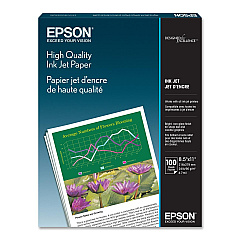
Epson WorkForce Pro WF-M5694 Photo Paper

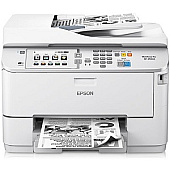
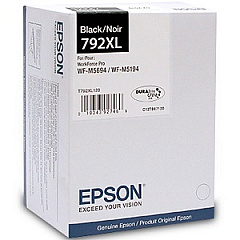
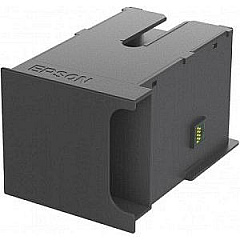
Enhance your printing efficiency with genuine Epson WorkForce Pro WF-M5694 Ink Cartridges. These high-quality supplies are designed specifically for the WF-M5694 printer, ensuring optimal performance and crisp, professional results. The Epson T792XL120 Black Ink Cartridge delivers exceptional yield and sharp text, perfect for high-volume printing in business, education, and healthcare settings. For seamless maintenance, the Epson T671000 Maintenance Box efficiently collects waste ink, prolonging your printer's lifespan. These cartridges are engineered to work flawlessly with your Epson WorkForce Pro WF-M5694, providing consistent, smudge-resistant output page after page. Whether you're printing reports, invoices, or educational materials, these reliable ink cartridges guarantee top-notch quality and cost-effective printing solutions for your organization. Invest in genuine Epson supplies to maximize your printer's potential and maintain peak performance.

Epson WorkForce Pro WF-M5694 Ink Cartridges FAQs

  • How long do Epson WorkForce Pro WF-M5694 ink cartridges typically last?

    The Epson T792XL120 Black Ink Cartridge yields approximately 10,000 pages, depending on print density and usage patterns.

  • Are these ink cartridges compatible with other Epson printers?

    These cartridges are specifically designed for the Epson WorkForce Pro WF-M5694 and may not be compatible with other printer models.

  • How often should I replace the Epson T671000 Maintenance Box?

    The maintenance box should be replaced when prompted by your printer, typically after processing a large number of print jobs.

  • Can I use third-party ink cartridges in my Epson WorkForce Pro WF-M5694?

    While third-party cartridges may work, using genuine Epson cartridges ensures optimal print quality and prevents potential damage to your printer.

  • How do I install the ink cartridge in my Epson WorkForce Pro WF-M5694?

    Open the printer's front cover, remove the old cartridge, and insert the new one until it clicks into place. Close the cover and follow on-screen instructions to complete the installation.

  • Are these ink cartridges environmentally friendly?

    Epson ink cartridges are designed with recyclable materials, and Epson offers a cartridge recycling program to minimize environmental impact.

  • What should I do if my printer doesn't recognize the new ink cartridge?

    Ensure the cartridge is properly installed and compatible with your printer model. If issues persist, clean the cartridge contacts and try reinstalling.

  • Can I buy these ink cartridges in bulk for my business?

    Yes, bulk purchasing options are available for businesses to help reduce costs and ensure a steady supply of ink cartridges.

  • How long can I store unused ink cartridges?

    Unopened ink cartridges can typically be stored for up to two years from the production date when kept in a cool, dry place.

  • Does using genuine Epson ink cartridges affect my printer's warranty?

    Using genuine Epson ink cartridges helps maintain your printer's warranty, while using third-party cartridges may void it if they cause damage to the printer.

Warehouse Locations

Policy & Agreement | Copyright © 1995-2026 BlueDogInk.com
