














Ads

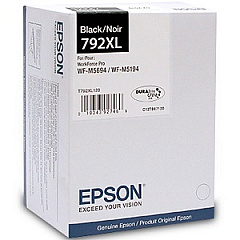
Epson WorkForce Pro WF-M5194 Black Ink Cartridges

Epson WorkForce Pro WF-M5194 Photo Paper

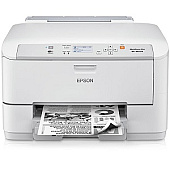
Enhance your printing efficiency with genuine Epson WorkForce Pro WF-M5194 Ink Cartridges. Designed specifically for the WF-M5194 printer, these high-yield cartridges deliver exceptional quality and reliability for your business needs. The Epson T792XL120 Black Ink Cartridge offers crisp, professional-grade text and graphics, perfect for reports, presentations, and everyday documents. With its large capacity, you'll experience fewer interruptions and reduced printing costs. These cartridges are engineered to work seamlessly with your Epson printer, ensuring consistent performance and preventing potential damage. Whether you're in a busy office, school, or healthcare setting, these ink cartridges provide the durability and longevity required for high-volume printing. Choose Epson WorkForce Pro WF-M5194 Ink Cartridges for uncompromising quality and productivity in your monochrome printing tasks.

Epson WorkForce Pro WF-M5194 Ink Cartridges FAQs

  • How long does an Epson T792XL120 Black Ink Cartridge last?

    The cartridge yield depends on printing volume and content, but it typically produces around 5,000 pages.

  • Are these ink cartridges compatible with other Epson printers?

    No, these cartridges are specifically designed for the Epson WorkForce Pro WF-M5194 printer.

  • Can I use third-party ink cartridges in my WF-M5194 printer?

    While third-party cartridges may work, using genuine Epson cartridges ensures optimal performance and maintains your printer's warranty.

  • How do I install the Epson T792XL120 Black Ink Cartridge?

    Open the printer's front cover, remove the old cartridge, and insert the new one until it clicks into place. Close the cover to complete installation.

  • Is the Epson T792XL120 cartridge recyclable?

    Yes, Epson offers a cartridge recycling program. Visit their website for details on how to recycle your used cartridges.

  • How can I check the ink levels in my WF-M5194 printer?

    You can check ink levels through the printer's control panel or via the Epson Status Monitor software on your computer.

  • What should I do if my printer doesn't recognize the new cartridge?

    Ensure the cartridge is properly seated and try cleaning the cartridge contacts. If issues persist, contact Epson support.

  • Can I buy these cartridges in bulk for my business?

    Yes, many retailers offer bulk purchasing options for businesses. Contact your preferred supplier for details.

  • How should I store unused ink cartridges?

    Store cartridges in a cool, dry place in their original packaging. Avoid extreme temperatures and direct sunlight.

  • Does using genuine Epson cartridges affect my printer's warranty?

    No, using genuine Epson cartridges maintains your printer's warranty. Using third-party cartridges may void the warranty.

Warehouse Locations

Policy & Agreement | Copyright © 1995-2026 BlueDogInk.com
