













Ads

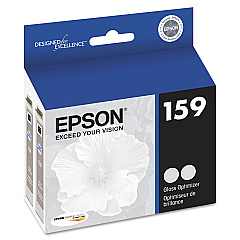
Epson Stylus Photo R2000 Black Ink Cartridges

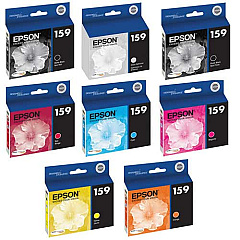
Epson Stylus Photo R2000 Color Ink Cartridges

Epson Stylus Photo R2000 Ink Set

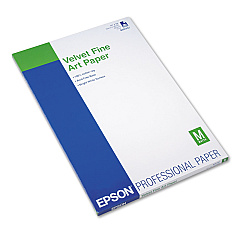
Epson Stylus Photo R2000 Paper

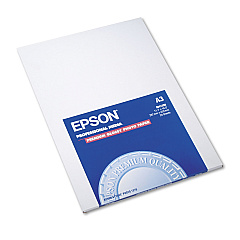
Epson Stylus Photo R2000 Photo Paper

Epson Stylus Photo R2000 Large Format Paper

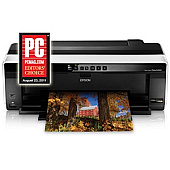
Elevate your printing experience with genuine Epson Stylus Photo R2000 Ink Cartridges. This professional-grade printer utilizes a versatile set of eight individual ink cartridges, including Photo Black, Cyan, Magenta, Yellow, Red, Matte Black, Orange, and a unique Gloss Optimizer. This advanced ink system ensures stunning, gallery-quality prints with vibrant colors, deep blacks, and smooth gradations. Whether you're a professional photographer or a discerning hobbyist, these high-capacity cartridges deliver exceptional print longevity and color accuracy. The Epson Stylus Photo R2000 Ink Cartridges are designed to work seamlessly with your printer, providing reliable performance and consistent results. Invest in genuine Epson inks to maximize your printer's potential and create breathtaking prints that truly capture the essence of your images.

Epson Stylus Photo R2000 Ink Cartridges FAQs

  • How long do Epson Stylus Photo R2000 Ink Cartridges typically last?

    The lifespan of ink cartridges varies depending on usage, but they generally last for several hundred prints. Heavy users may need to replace cartridges more frequently.

  • Can I use third-party ink cartridges in my Epson Stylus Photo R2000?

    While third-party cartridges may work, Epson recommends using genuine Epson ink cartridges for optimal print quality and to maintain your printer's warranty.

  • What is the purpose of the Gloss Optimizer cartridge?

    The Gloss Optimizer helps achieve a uniform glossy finish on photo prints, reducing gloss differential and enhancing overall print quality.

  • How do I know when it's time to replace an ink cartridge?

    Your printer will display a low ink warning when a cartridge is running low. You can also check ink levels through the printer software on your computer.

  • Can I replace individual ink cartridges or do I need to replace the entire set?

    You can replace individual cartridges as needed. The Epson Stylus Photo R2000 uses separate cartridges for each color.

  • Are Epson Stylus Photo R2000 Ink Cartridges compatible with other Epson printer models?

    These cartridges are specifically designed for the Epson Stylus Photo R2000 and may not be compatible with other Epson printer models.

  • How should I store unused ink cartridges?

    Store unused cartridges in a cool, dry place at room temperature. Keep them in their original packaging until you're ready to use them.

  • What's the shelf life of unopened Epson Stylus Photo R2000 Ink Cartridges?

    Unopened cartridges typically have a shelf life of about two years from the production date, which is printed on the packaging.

  • Can I recycle empty Epson Stylus Photo R2000 Ink Cartridges?

    Yes, Epson offers a cartridge recycling program. You can find details on their website or check with local office supply stores for recycling options.

  • What should I do if my printer doesn't recognize a new ink cartridge?

    Ensure the cartridge is properly installed and seated. If the issue persists, clean the cartridge contacts and try reinserting it. If problems continue, contact Epson support.

Warehouse Locations

Policy & Agreement | Copyright © 1995-2026 BlueDogInk.com
