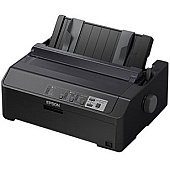






Epson LQ-590II 24 Pin Dot Matrix Printers Supplies

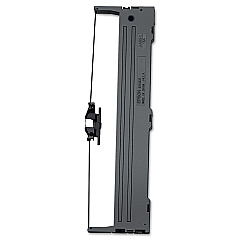
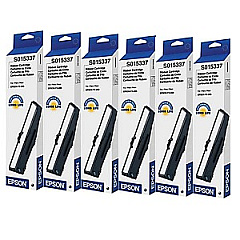
Epson LQ-590II Dot Matrix Ribbon

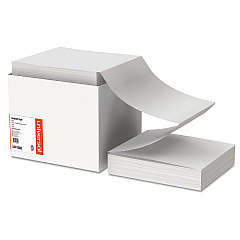
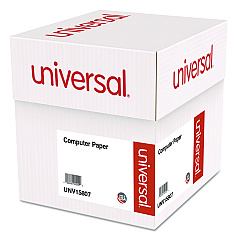
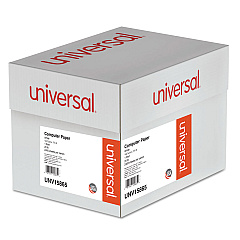
Epson LQ-590II Copy Paper

Discover reliable Epson LQ-590II 24 Pin Dot Matrix Printers Supplies for your high-volume printing needs. These top-quality supplies, including the Epson S015337 Black Ribbon Cartridge, ensure crisp, clear text and graphics for all your business documents. The LQ-590II printer is a workhorse designed for demanding environments such as government offices, healthcare facilities, and educational institutions. With its durable construction and efficient performance, this printer excels in producing multipart forms, invoices, and reports. The Epson S015337 Black Ribbon Cartridges offer long-lasting print quality and exceptional value, reducing the frequency of replacements and minimizing downtime. Whether you're managing a busy warehouse or running a school administration office, these printer supplies deliver consistent results page after page. Invest in genuine Epson supplies to maximize your LQ-590II's performance and protect your printer's longevity.

Epson LQ-590II 24 Pin Dot Matrix Printers Supplies FAQs

  • How long does the Epson S015337 Black Ribbon Cartridge last?

    The Epson S015337 Black Ribbon Cartridge typically lasts for approximately 5 million characters.

  • Is the Epson LQ-590II compatible with Windows 10?

    Yes, the Epson LQ-590II is compatible with Windows 10 and other modern operating systems.

  • Can the LQ-590II print on multi-part forms?

    Yes, the LQ-590II is designed to handle multi-part forms with up to 5 copies.

  • What is the print speed of the Epson LQ-590II?

    The Epson LQ-590II can print up to 529 characters per second at 12 cpi in high-speed draft mode.

  • Are third-party ribbon cartridges compatible with the LQ-590II?

    While third-party cartridges may work, using genuine Epson supplies is recommended for optimal performance and to maintain warranty coverage.

  • How do I install the Epson S015337 Black Ribbon Cartridge?

    To install, open the printer cover, remove the old cartridge, align the new cartridge with the print head, and press it into place until it clicks.

  • Does the LQ-590II have USB connectivity?

    Yes, the LQ-590II features both USB and parallel interfaces for flexible connectivity options.

  • What is the maximum paper width the LQ-590II can handle?

    The LQ-590II can handle paper widths up to 16 inches, making it suitable for wide-format printing tasks.

  • Is the Epson LQ-590II Energy Star certified?

    Yes, the Epson LQ-590II is Energy Star certified, ensuring energy efficiency and reduced power consumption.

  • Can I use continuous paper with the LQ-590II?

    Yes, the LQ-590II supports continuous paper feed, making it ideal for printing large volumes of forms or reports.

Warehouse Locations

Policy & Agreement | Copyright © 1995-2026 BlueDogInk.com
