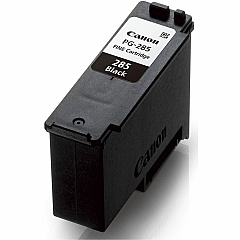
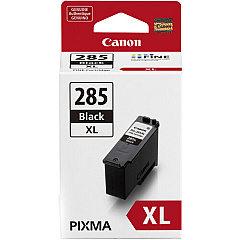
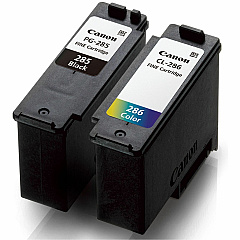





Canon PIXMA TS7720 Black Ink Cartridges

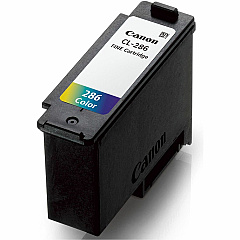
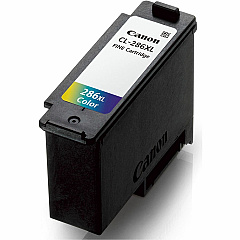
Canon PIXMA TS7720 Color Ink Cartridges

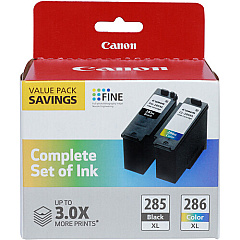
Canon PIXMA TS7720 Ink Set

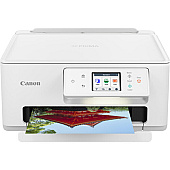
Enhance your printing experience with genuine Canon PIXMA TS7720 Ink Cartridges. These high-quality cartridges ensure crisp text and vibrant color output for all your documents and photos. Choose from a range of options, including the standard Canon CL-286 Color and PG-285 Black cartridges for everyday printing, or opt for the high-yield XL versions for increased page yield and cost-effectiveness. The convenient value packs combine both black and color cartridges, offering savings and convenience. Whether you're printing professional reports, school projects, or cherished family photos, these Canon ink cartridges deliver exceptional results. Compatible with the Canon PIXMA TS7720 printer, these cartridges are designed to work seamlessly, providing reliable performance and stunning print quality. Invest in genuine Canon ink to maximize your printer's potential and enjoy consistent, high-quality prints every time.

Canon PIXMA TS7720 Ink Cartridges FAQs

  • What ink cartridges are compatible with the Canon PIXMA TS7720 printer?

    The Canon PIXMA TS7720 is compatible with Canon CL-286 Color, CL-286 XL Color, PG-285 Black, and PG-285 XL Black ink cartridges. It also works with value packs containing both black and color cartridges.

  • What's the difference between standard and XL ink cartridges?

    XL cartridges have a higher ink capacity, allowing for more prints before replacement. They typically offer better value for frequent printers, while standard cartridges are suitable for occasional use.

  • How long do Canon PIXMA TS7720 ink cartridges last?

    The lifespan of ink cartridges depends on usage frequency and print content. On average, standard cartridges last for about 180-200 pages, while XL cartridges can print up to 400 pages.

  • Can I use third-party ink cartridges in my Canon PIXMA TS7720?

    While third-party cartridges may work, Canon recommends using genuine Canon ink cartridges to ensure optimal print quality and to protect your printer's warranty.

  • How do I install new ink cartridges in my Canon PIXMA TS7720?

    Open the printer's front cover, wait for the cartridge holder to move to the center, remove the old cartridge, insert the new one until it clicks, and close the cover. The printer will automatically recognize the new cartridge.

  • Are Canon PIXMA TS7720 ink cartridges refillable?

    Canon does not recommend refilling ink cartridges as it may affect print quality and potentially damage the printer. It's best to use new, genuine Canon cartridges for optimal results.

  • What should I do if my printer doesn't recognize the new ink cartridge?

    Ensure the cartridge is properly installed and compatible with your printer model. Clean the cartridge contacts and try reinserting it. If issues persist, consult the printer manual or contact Canon support.

  • How can I check the ink levels in my Canon PIXMA TS7720?

    You can check ink levels through the printer's LCD display, the Canon printer software on your computer, or the Canon PRINT app on your mobile device.

  • Are Canon PIXMA TS7720 ink cartridges recyclable?

    Yes, Canon offers a cartridge recycling program. You can return used cartridges to Canon or participating retailers for environmentally friendly disposal and recycling.

  • Can I use a black ink cartridge only for printing if I'm out of color ink?

    The Canon PIXMA TS7720 requires both black and color cartridges to be installed and contain ink for the printer to function properly, even when printing in black and white.

Warehouse Locations

Policy & Agreement | Copyright © 1995-2026 BlueDogInk.com
