





Ads

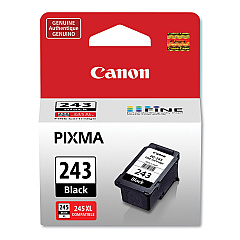
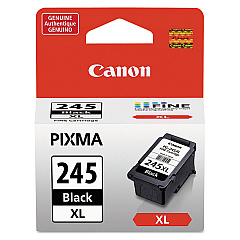
Canon PIXMA TS3322 Black Ink Cartridges

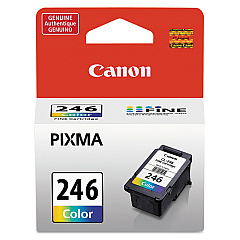
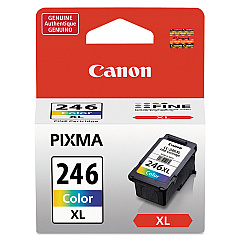
Canon PIXMA TS3322 Color Ink Cartridges

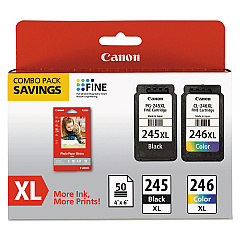
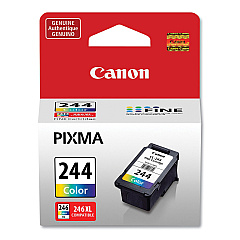
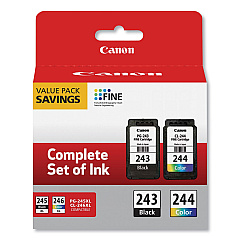
Enhance your printing experience with genuine Canon PIXMA TS3322 Ink Cartridges. These high-quality cartridges ensure crisp text and vibrant colors for all your printing needs. Choose from a range of options including the standard CL-244 and CL-246 color cartridges, or opt for the high-yield CL-246XL for more prints. For sharp black text, the PG-243 and PG-245 cartridges deliver excellent results, with the PG-245XL offering extended print capacity. Value packs like the PG-243 CL-244 and PG-245 CL-246 XL Combo Pack provide cost-effective solutions for frequent printing. Whether you're printing documents, photos, or creative projects, these Canon ink cartridges guarantee optimal performance and longevity for your PIXMA TS3322 printer, ensuring professional-quality results every time.

Canon PIXMA TS3322 Ink Cartridges FAQs

  • What ink cartridges are compatible with the Canon PIXMA TS3322 printer?

    The Canon PIXMA TS3322 is compatible with CL-244, CL-246, CL-246XL, PG-243, PG-245, and PG-245XL ink cartridges.

  • How long do Canon PIXMA TS3322 ink cartridges typically last?

    The lifespan of ink cartridges varies depending on usage, but standard cartridges typically last for 180-200 pages, while XL cartridges can print up to 300 pages.

  • Can I use third-party ink cartridges in my Canon PIXMA TS3322?

    While third-party cartridges may work, using genuine Canon ink cartridges is recommended for optimal print quality and to maintain your printer's warranty.

  • What's the difference between standard and XL ink cartridges?

    XL cartridges contain more ink and can print more pages than standard cartridges, making them more cost-effective for frequent printing.

  • How do I install new ink cartridges in my Canon PIXMA TS3322?

    Open the printer cover, wait for the cartridge holder to move to the center, remove the old cartridge, insert the new one until it clicks, then close the cover.

  • Are Canon PIXMA TS3322 ink cartridges refillable?

    Canon does not recommend refilling cartridges as it may affect print quality and potentially damage the printer. It's best to use new, genuine Canon cartridges.

  • What should I do if my printer doesn't recognize the new ink cartridge?

    Ensure the cartridge is properly installed and compatible. Clean the cartridge contacts and try reinserting it. If issues persist, consult the printer manual or contact Canon support.

  • How can I check the ink levels in my Canon PIXMA TS3322?

    You can check ink levels through the printer's display panel, the Canon printer software on your computer, or the Canon PRINT app on your mobile device.

  • What's the shelf life of unopened Canon PIXMA TS3322 ink cartridges?

    Unopened ink cartridges typically have a shelf life of 1-2 years from the production date when stored properly in a cool, dry place.

  • Can I use a black ink cartridge for color printing if I run out of color ink?

    No, the printer requires both black and color cartridges to function properly. You'll need to replace the empty color cartridge to continue printing in color.

Warehouse Locations

Policy & Agreement | Copyright © 1995-2026 BlueDogInk.com
