








Ads

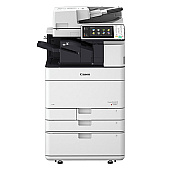
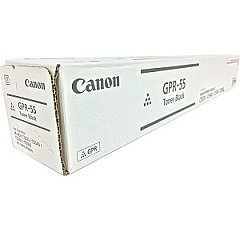
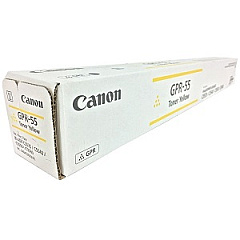
Canon imageRUNNER ADVANCE C5540i Black Toner Cartridges

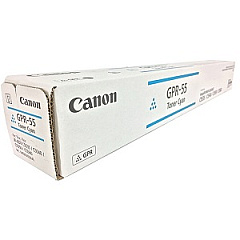
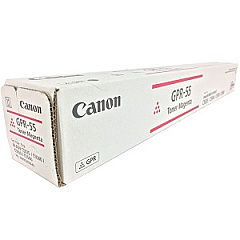
Canon imageRUNNER ADVANCE C5540i Color Toner Cartridges

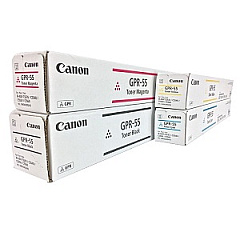
Canon imageRUNNER ADVANCE C5540i Toner Set

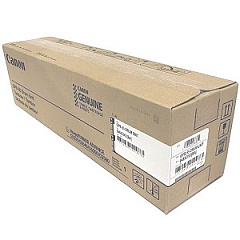
Canon imageRUNNER ADVANCE C5540i Drum Units

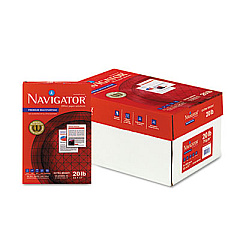
Canon imageRUNNER ADVANCE C5540i Copy Paper

Enhance your printing experience with genuine Canon imageRUNNER ADVANCE C5540i Toner Cartridges. These high-quality consumables ensure optimal performance and stunning output for your multifunction printer. The comprehensive set includes Canon GPR-55 cartridges in Black, Cyan, Magenta, and Yellow, delivering vibrant colors and crisp text. The GPR-55 Drum Unit maintains image quality, while the WT-202 Waste Toner Container efficiently manages residual toner. This complete solution maximizes your device's capabilities, providing consistent, professional results for businesses, educational institutions, government offices, and healthcare facilities. By choosing authentic Canon supplies, you'll extend the life of your imageRUNNER ADVANCE C5540i and minimize downtime. Experience unparalleled print quality and reliability with these essential toner cartridges, designed specifically for your Canon multifunction system.

Canon imageRUNNER ADVANCE C5540i Toner Cartridges FAQs

  • How long do Canon imageRUNNER ADVANCE C5540i toner cartridges typically last?

    The lifespan of toner cartridges varies depending on usage, but they generally last for several thousand pages. Refer to the specific yield information for each cartridge model.

  • Are these toner cartridges compatible with other Canon printers?

    These cartridges are designed specifically for the Canon imageRUNNER ADVANCE C5540i. Always check your printer's compatibility before purchasing toner cartridges.

  • How often should I replace the GPR-55 Drum Unit?

    The drum unit typically lasts longer than toner cartridges. Replace it when print quality deteriorates or as recommended by your printer's maintenance schedule.

  • Can I use third-party toner cartridges in my Canon imageRUNNER ADVANCE C5540i?

    While third-party cartridges may work, using genuine Canon toner cartridges ensures optimal print quality and prevents potential damage to your printer.

  • How do I know when it's time to replace a toner cartridge?

    Your printer will display a message when toner is low or empty. You may also notice a decrease in print quality.

  • What's the difference between the toner cartridge and the drum unit?

    The toner cartridge contains the ink powder, while the drum unit transfers the toner onto the paper. Both are essential for printing.

  • How should I store unused toner cartridges?

    Store cartridges in a cool, dry place away from direct sunlight. Keep them in their original packaging until ready for use.

  • Is it necessary to replace all color cartridges at once?

    No, you can replace individual color cartridges as they run out. However, replacing them together can ensure color consistency in your prints.

  • What should I do with empty toner cartridges?

    Canon offers a recycling program for empty cartridges. Check their website or contact your local office supply store for recycling options.

  • How often should I replace the WT-202 Waste Toner Container?

    Replace the waste toner container when prompted by your printer or when it becomes full. This frequency depends on your printing volume.

Warehouse Locations

Policy & Agreement | Copyright © 1995-2026 BlueDogInk.com
