






Ads

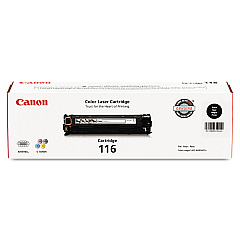
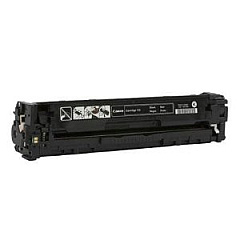
Canon Color imageCLASS MF8050Cn Black Toner Cartridges

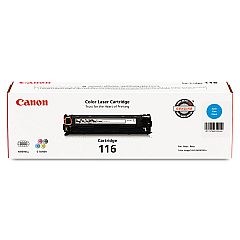
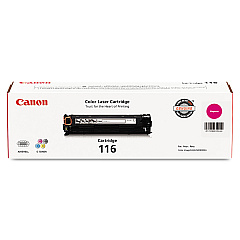
Canon Color imageCLASS MF8050Cn Color Toner Cartridges

Canon Color imageCLASS MF8050Cn Toner Set

Canon Color imageCLASS MF8050Cn Warranty and Services

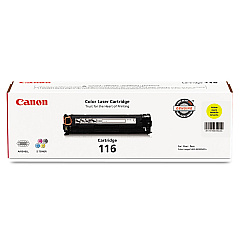
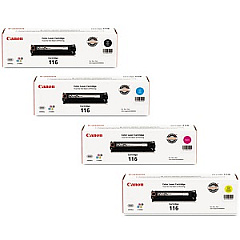
Enhance your printing experience with genuine Canon Color imageCLASS MF8050Cn Toner Cartridges. These high-quality cartridges are designed specifically for the MF8050Cn printer, ensuring optimal performance and stunning color output. The set includes Canon 116 Black, Cyan, Magenta, and Yellow toner cartridges, providing a complete solution for all your printing needs. With these cartridges, you'll achieve crisp text and vibrant images that make your documents stand out. The Canon 116 Toner Cartridge Set offers convenience and cost-effectiveness, allowing you to replace all colors at once. Whether you're printing business reports, marketing materials, or everyday documents, these cartridges deliver consistent, professional results. Trust in Canon's superior quality and reliability to keep your MF8050Cn printer running smoothly and efficiently, maximizing productivity in your office or home workspace.

Canon Color imageCLASS MF8050Cn Printers Supplies FAQs

  • How long do Canon Color imageCLASS MF8050Cn Toner Cartridges typically last?

    The lifespan of these cartridges varies depending on usage, but they generally yield around 2,300 pages for black and 1,500 pages for each color cartridge.

  • Are these toner cartridges compatible with other Canon printers?

    These cartridges are specifically designed for the Canon Color imageCLASS MF8050Cn printer and may not be compatible with other models.

  • Can I use third-party toner cartridges in my Canon MF8050Cn printer?

    While third-party cartridges may work, using genuine Canon cartridges ensures the best print quality and prevents potential damage to your printer.

  • How do I install the toner cartridges in my MF8050Cn printer?

    Open the front cover, remove the old cartridge, unpack the new one, and insert it into the corresponding slot until it clicks into place.

  • What should I do if I experience print quality issues?

    First, check if the toner cartridges are properly installed and not empty. If the issue persists, try running a printer cleaning cycle or consult the user manual for troubleshooting steps.

  • Are these toner cartridges environmentally friendly?

    Canon offers a recycling program for used toner cartridges, promoting environmental sustainability.

  • Can I buy individual color cartridges or do I have to purchase the entire set?

    You can buy individual color cartridges or the complete set, depending on your needs and which colors are running low.

  • How should I store unused toner cartridges?

    Store unused cartridges in a cool, dry place away from direct sunlight. Keep them in their original packaging until ready for use.

  • What's the difference between toner and ink cartridges?

    Toner cartridges contain a fine powder and are used in laser printers, while ink cartridges contain liquid ink and are used in inkjet printers.

  • How can I tell when it's time to replace my toner cartridges?

    Your printer will typically display a low toner warning. You may also notice a decrease in print quality or faded prints when cartridges are running low.

Warehouse Locations

Policy & Agreement | Copyright © 1995-2026 BlueDogInk.com
