




Ads

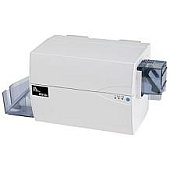
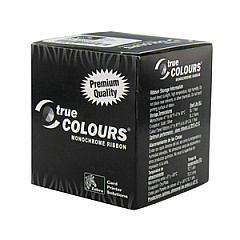
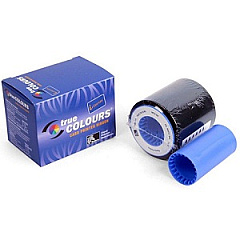
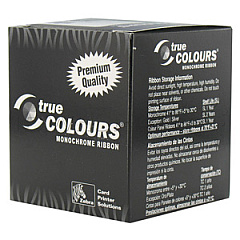
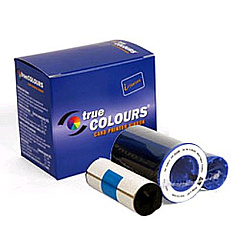
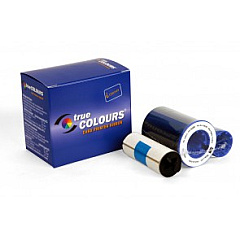
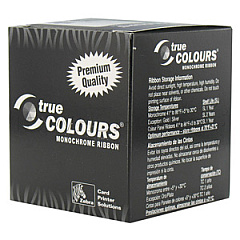
Zebra P310i Printer Ribbon

Enhance your printing capabilities with Zebra P310i Label Printers Supplies, designed to deliver exceptional quality and reliability. This comprehensive range of ribbon cartridges includes the Zebra 800015-104, 800015-106, 800015-107, 800015-109, 800015-301, 800015-440, 800015-448, 800015-450, 800015-460, and 800015-540 models. Each ribbon is specifically engineered to work seamlessly with Zebra P310i printers, ensuring crisp, clear, and long-lasting prints for various applications. Whether you're in business, education, government, healthcare, or wholesale, these supplies offer consistent performance and optimal results. With a wide selection of colors and specialized formulations, you can choose the perfect ribbon for your specific needs. Invest in genuine Zebra P310i Label Printers Supplies to maximize your printer's efficiency and produce professional-grade labels, cards, and tags with confidence.

Zebra P310i Label Printers Supplies FAQs

  • What types of materials can I print on with Zebra P310i Label Printers Supplies?

    Zebra P310i Label Printers Supplies are compatible with various materials, including PVC cards, paper labels, and synthetic tags.

  • How many prints can I expect from a single ribbon cartridge?

    The number of prints varies depending on the specific ribbon model and print coverage, but typically ranges from 500 to 3000 prints per cartridge.

  • Are these supplies compatible with other Zebra printer models?

    These supplies are specifically designed for Zebra P310i printers. Always check compatibility before using with other models.

  • What is the shelf life of unused Zebra P310i Label Printers Supplies?

    When stored properly in a cool, dry place, unused ribbons typically have a shelf life of 12-18 months.

  • Can I use third-party ribbons with my Zebra P310i printer?

    While third-party ribbons may work, using genuine Zebra supplies ensures optimal performance and maintains your printer's warranty.

  • How do I install a new ribbon cartridge in my Zebra P310i printer?

    To install a new ribbon, open the printer cover, remove the old cartridge, insert the new one following the guides, and close the cover. Refer to your printer's manual for detailed instructions.

  • What's the difference between the various ribbon models listed?

    The different models offer various colors, print capacities, and specialized formulations for different printing needs and applications.

  • Are these ribbons environmentally friendly?

    Zebra is committed to environmental sustainability and offers eco-friendly options. Check the specific ribbon model for details on its environmental impact.

  • Can I use these supplies for printing secure or sensitive information?

    Yes, many Zebra ribbons offer security features like UV fluorescent printing or holographic overlaminates for secure printing applications.

  • What should I do if I experience print quality issues with these supplies?

    If you encounter print quality issues, first ensure you're using the correct ribbon for your application. Clean the printhead, check your printer settings, and if problems persist, contact Zebra support for assistance.

Warehouse Locations

Policy & Agreement | Copyright © 1995-2026 BlueDogInk.com
