







Ads

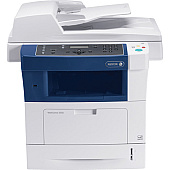
Xerox WorkCentre 3550 Black Toner Cartridges

Xerox WorkCentre 3550 Printer Accessories

Xerox WorkCentre 3550 Copy Paper

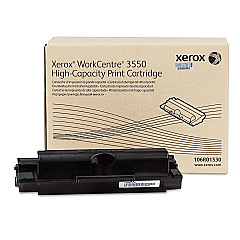
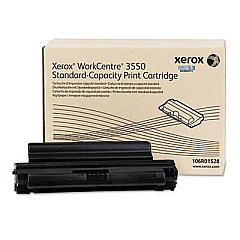
Enhance your office productivity with genuine Xerox WorkCentre 3550 Toner Cartridges and accessories. Our selection includes the high-yield Xerox 106R01530 Black Toner Cartridge for extended printing and the standard-yield Xerox 106R01528 Black Toner Cartridge for everyday use. Boost your device's performance with the Xerox 256 MB DRAM Memory Expansion, enabling faster processing of complex print jobs. The Xerox Foreign Device Interface allows seamless integration with third-party devices, while the Scan to PC Desktop Small Business Edition (5 Seats) streamlines document management. These authentic Xerox supplies ensure optimal print quality, reliability, and longevity for your WorkCentre 3550, making them the perfect choice for businesses, educational institutions, healthcare facilities, and government offices seeking professional-grade printing solutions.

Xerox WorkCentre 3550 Toner Cartridges FAQs

  • What is the page yield of the Xerox 106R01530 Black Toner Cartridge?

    The Xerox 106R01530 Black Toner Cartridge has a page yield of approximately 11,000 pages at 5% coverage.

  • Is the Xerox 106R01528 compatible with the WorkCentre 3550?

    Yes, the Xerox 106R01528 Black Toner Cartridge is fully compatible with the Xerox WorkCentre 3550.

  • How does the 256 MB DRAM Memory Expansion improve performance?

    The 256 MB DRAM Memory Expansion increases the device's processing power, allowing for faster handling of complex print jobs and improved multitasking capabilities.

  • What is the purpose of the Xerox Foreign Device Interface?

    The Xerox Foreign Device Interface enables the WorkCentre 3550 to integrate with third-party devices and software for enhanced functionality and workflow optimization.

  • How many users can benefit from the Scan to PC Desktop Small Business Edition?

    The Scan to PC Desktop Small Business Edition supports up to 5 users, making it ideal for small to medium-sized businesses.

  • Are these toner cartridges genuine Xerox products?

    Yes, all the toner cartridges and accessories listed are genuine Xerox products, ensuring optimal performance and print quality.

  • Can I use third-party toner cartridges in my Xerox WorkCentre 3550?

    While third-party cartridges may work, using genuine Xerox toner cartridges is recommended to ensure the best print quality and to maintain your device's warranty.

  • How do I install the 256 MB DRAM Memory Expansion?

    The 256 MB DRAM Memory Expansion can be easily installed by following the instructions provided in the WorkCentre 3550 user manual. If you're unsure, it's best to contact a Xerox technician for assistance.

  • What is the difference between the 106R01528 and 106R01530 toner cartridges?

    The main difference is the page yield. The 106R01530 is a high-yield cartridge with approximately 11,000 pages, while the 106R01528 is a standard-yield cartridge with about 5,000 pages.

  • Does the Scan to PC Desktop Small Business Edition require additional software installation?

    Yes, the Scan to PC Desktop Small Business Edition requires software installation on the computers of the five users who will be utilizing this feature.

Warehouse Locations

Policy & Agreement | Copyright © 1995-2026 BlueDogInk.com
