








Ads

Xerox Phaser 7750GX Black Toner Cartridges

Xerox Phaser 7750GX Color Toner Cartridges

Xerox Phaser 7750GX Maintenance Kits

Xerox Phaser 7750GX Transfer Units

Xerox Phaser 7750GX Printer Accessories

Xerox Phaser 7750GX Printer Parts

Xerox Phaser 7750GX Copy Paper

Xerox Phaser 7750GX Photo Paper

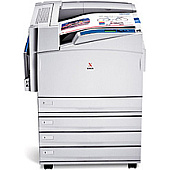
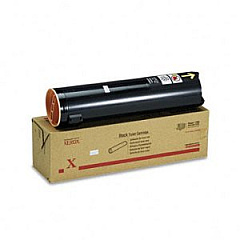
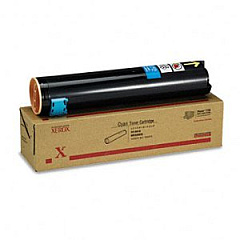
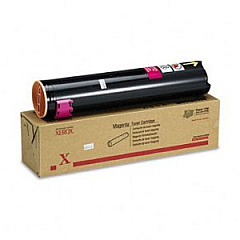
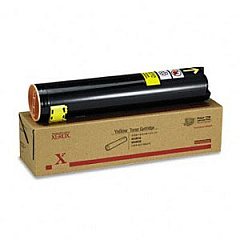
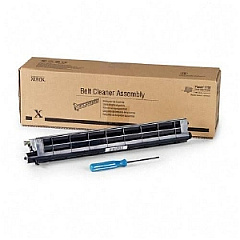
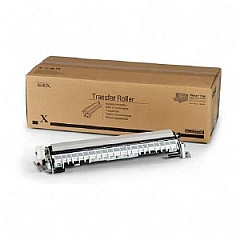
Enhance your printing experience with genuine Xerox Phaser 7750GX Toner Cartridges. This high-performance printer requires top-quality supplies to deliver exceptional results. Our range includes the essential Xerox 106R00652 Black, 106R00653 Cyan, 106R00654 Magenta, and 106R00655 Yellow Toner Cartridges, ensuring vibrant and accurate color reproduction. For optimal maintenance, we offer the 108R00575 Waste Cartridge, 108R00579 Transfer Roller, and 108R00580 Belt Cleaner Assembly. The 115R00025 Fuser guarantees precise heat application for flawless prints. Upgrade your printer's capabilities with the B to DN Upgrade, which includes additional RAM and enables Ethernet and 2-sided printing. Don't forget the MSI Roller (604K05880) for smooth paper feeding. Trust in these genuine Xerox supplies to maximize your Phaser 7750GX's performance and longevity.

Xerox Phaser 7750GX Toner Cartridges FAQs

  • How often should I replace the toner cartridges in my Xerox Phaser 7750GX?

    Replacement frequency depends on usage, but typically when print quality diminishes or the printer indicates low toner levels.

  • Are these toner cartridges compatible with other Xerox printers?

    These cartridges are specifically designed for the Xerox Phaser 7750GX. Always check your printer's compatibility before purchasing.

  • What is the page yield for each toner cartridge?

    Page yields vary by color. Please refer to the product specifications for exact yields of each cartridge.

  • How do I install the new toner cartridges?

    Follow the instructions in your printer's user manual. Generally, open the front panel, remove the old cartridge, and insert the new one until it clicks into place.

  • What is the purpose of the waste cartridge?

    The waste cartridge collects excess toner during printing. Replace it when indicated to prevent toner leaks and maintain print quality.

  • How often should I replace the transfer roller and belt cleaner assembly?

    These components typically last longer than toner cartridges. Replace them when print quality issues persist after changing toner cartridges.

  • What benefits does the B to DN Upgrade provide?

    The upgrade adds 128 MB RAM, enables Ethernet connectivity, and allows for 2-sided printing, enhancing your printer's functionality.

  • Is the fuser unit easy to replace?

    Fuser replacement should be done by a trained technician to ensure proper installation and avoid potential damage to the printer.

  • Can I use third-party toner cartridges in my Xerox Phaser 7750GX?

    While third-party cartridges may work, using genuine Xerox supplies ensures optimal print quality and prevents potential damage to your printer.

  • How should I store unused toner cartridges?

    Store cartridges in a cool, dry place away from direct sunlight. Keep them in their original packaging until ready for use to maintain quality.

Warehouse Locations

Policy & Agreement | Copyright © 1995-2026 BlueDogInk.com
