






Ads

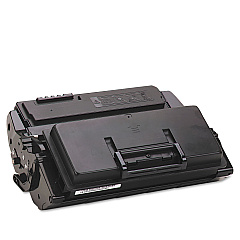
Xerox Phaser 3600DN Black Toner Cartridges

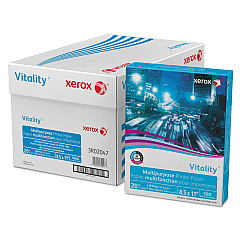
Xerox Phaser 3600DN Copy Paper

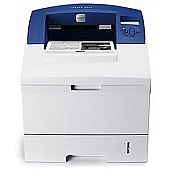
Enhance your printing efficiency with genuine Xerox Phaser 3600DN Toner Cartridges. These high-quality cartridges are designed specifically for the Xerox Phaser 3600DN printer, ensuring optimal performance and crisp, professional-quality output. Choose between the standard-yield Xerox 106R01370 Black Toner Cartridge or the high-yield Xerox 106R01371 Black Toner Cartridge to suit your printing needs. Both options deliver exceptional print quality, reliability, and cost-effectiveness for businesses, educational institutions, government offices, and healthcare facilities. With these genuine Xerox toner cartridges, you'll experience consistent, sharp text and graphics, reduced downtime, and improved overall productivity. Trust in Xerox's commitment to quality and innovation to keep your Phaser 3600DN running smoothly and efficiently, meeting the demands of your high-volume printing environment.

Xerox Phaser 3600DN Toner Cartridges FAQs

  • What is the page yield for the Xerox 106R01370 Black Toner Cartridge?

    The Xerox 106R01370 Black Toner Cartridge has a standard yield of approximately 7,000 pages.

  • What is the page yield for the Xerox 106R01371 Black Toner Cartridge?

    The Xerox 106R01371 Black Toner Cartridge has a high yield of approximately 14,000 pages.

  • Are these toner cartridges compatible with other Xerox printer models?

    These toner cartridges are specifically designed for the Xerox Phaser 3600DN printer and may not be compatible with other models.

  • How long do these toner cartridges typically last?

    The lifespan of the cartridges depends on your printing volume, but they generally last several months to a year under normal use.

  • Are these genuine Xerox toner cartridges?

    Yes, these are genuine Xerox toner cartridges designed specifically for the Phaser 3600DN printer.

  • Can I use third-party or remanufactured cartridges in my Xerox Phaser 3600DN?

    While third-party cartridges may work, using genuine Xerox cartridges ensures optimal performance and print quality, and maintains your printer's warranty.

  • How do I install the toner cartridge in my Xerox Phaser 3600DN?

    To install, open the front cover, remove the old cartridge, unpack the new one, and insert it until it clicks into place. Close the cover to complete installation.

  • What should I do with my used toner cartridges?

    Xerox offers a recycling program for used cartridges. You can return them for free recycling to help reduce environmental impact.

  • How can I tell if my toner cartridge is running low?

    The printer's display panel will show a low toner warning when the cartridge is nearing the end of its life.

  • Is there a difference in print quality between the standard and high-yield cartridges?

    No, both cartridges provide the same high-quality prints. The difference is in the amount of toner and therefore the number of pages they can print.

Warehouse Locations

Policy & Agreement | Copyright © 1995-2026 BlueDogInk.com
