







Ads

Xerox FaxCentre F116L Black Toner Cartridges

Xerox FaxCentre F116L Drum Units

Xerox FaxCentre F116L Printer Accessories

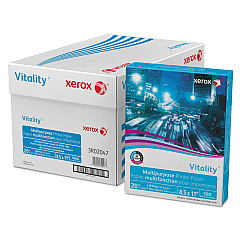
Xerox FaxCentre F116L Copy Paper

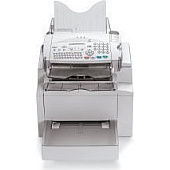
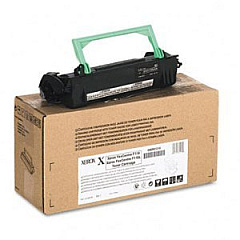
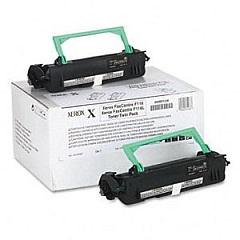
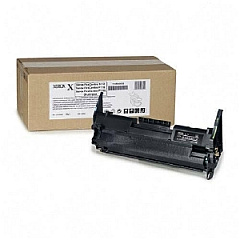
Enhance your office productivity with genuine Xerox FaxCentre F116L Toner Cartridges and supplies. These high-quality components ensure optimal performance and crisp, professional output for your Xerox FaxCentre F116L device. Choose from the Xerox 006R01218 Black Toner Cartridge for standard printing needs or the Xerox 006R01236 Toner Cartridge Twin Pack for extended use. The Xerox 113R00655 Drum Cartridge maintains image quality and longevity, while the Xerox Network Printing Kit (097N01441) expands your device's capabilities. By using authentic Xerox supplies, you guarantee consistent results, minimize downtime, and protect your investment. Whether you're a small business, educational institution, or healthcare facility, these reliable Xerox FaxCentre F116L Toner Cartridges and accessories will keep your communications flowing smoothly and efficiently.

Xerox FaxCentre F116L Toner Cartridges FAQs

  • What is the page yield of the Xerox 006R01218 Black Toner Cartridge?

    The Xerox 006R01218 Black Toner Cartridge typically yields around 6,000 pages at 5% coverage.

  • How often should I replace the Xerox 113R00655 Drum Cartridge?

    The Xerox 113R00655 Drum Cartridge usually needs replacement after approximately 20,000 pages, depending on usage.

  • Are these toner cartridges compatible with other Xerox models?

    These cartridges are specifically designed for the Xerox FaxCentre F116L. Always check your printer's manual for compatibility information.

  • What's the benefit of using the Xerox 006R01236 Toner Cartridge Twin Pack?

    The Twin Pack offers cost savings and convenience by providing two cartridges, reducing the frequency of replacements.

  • Is the Xerox Network Printing Kit (097N01441) necessary for basic faxing?

    No, the Network Printing Kit is an optional accessory that adds network printing capabilities to your FaxCentre F116L.

  • Can I use third-party toner cartridges in my Xerox FaxCentre F116L?

    While third-party cartridges may work, using genuine Xerox supplies ensures optimal performance and protects your device's warranty.

  • How do I install the new toner cartridge in my FaxCentre F116L?

    Consult your printer's manual for specific instructions, but generally, you'll open the front cover, remove the old cartridge, and insert the new one until it clicks into place.

  • What should I do with my used toner cartridges?

    Xerox offers a recycling program for used cartridges. Visit their website or contact your local Xerox representative for details on how to recycle.

  • How can I tell if my toner cartridge needs replacement?

    Your FaxCentre F116L will display a message when toner is low. You may also notice faded prints or streaks on your documents.

  • Are these supplies covered under Xerox's warranty?

    Yes, genuine Xerox supplies are covered under warranty. Using non-Xerox supplies may void your device's warranty.

Warehouse Locations

Policy & Agreement | Copyright © 1995-2026 BlueDogInk.com
