







Ads

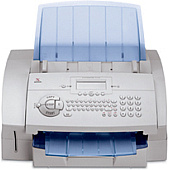
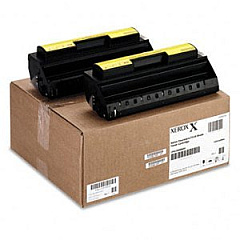
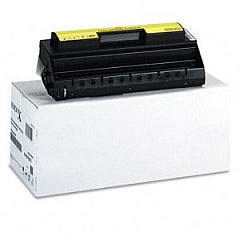
Xerox FaxCentre F110 Black Toner Cartridges

Xerox FaxCentre F110 Printer Accessories

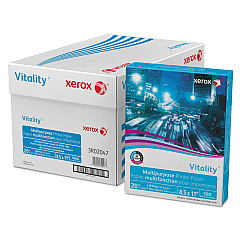
Xerox FaxCentre F110 Copy Paper

Enhance your office productivity with genuine Xerox FaxCentre F110 Toner Cartridges. These high-quality supplies ensure crisp, professional-grade prints and faxes for your business needs. Choose from the Xerox 013R00599 Black Toner Cartridge for individual replacement or opt for the cost-effective Xerox 013R00609 Toner Cartridge Twin Pack for extended use. To streamline your workflow, consider the Xerox Scan to PC Desktop Small Business Edition (5 Seats) (301K23432), which allows seamless integration of scanned documents into your digital ecosystem. With these genuine Xerox supplies, you'll experience consistent performance, reduced downtime, and superior image quality. Whether you're in healthcare, education, government, or wholesale, these toner cartridges are designed to meet the demands of your busy office environment. Invest in Xerox FaxCentre F110 Toner Cartridges for reliable, high-quality printing and faxing solutions.

Xerox FaxCentre F110 Toner Cartridges FAQs

  • What is the page yield of the Xerox 013R00599 Black Toner Cartridge?

    The Xerox 013R00599 Black Toner Cartridge typically yields around 3,000 pages at 5% coverage.

  • Are these toner cartridges compatible with other Xerox models?

    These toner cartridges are specifically designed for the Xerox FaxCentre F110 and may not be compatible with other models.

  • How long do Xerox FaxCentre F110 Toner Cartridges typically last?

    The lifespan of the toner cartridges depends on usage, but they generally last several months in a typical office environment.

  • Can I use third-party toner cartridges in my Xerox FaxCentre F110?

    While third-party cartridges may work, using genuine Xerox toner cartridges ensures optimal performance and print quality.

  • What's the benefit of purchasing the Xerox 013R00609 Toner Cartridge Twin Pack?

    The twin pack offers cost savings and convenience, providing two cartridges at a discounted price compared to buying them separately.

  • Is the Xerox Scan to PC Desktop Small Business Edition necessary for using the FaxCentre F110?

    No, it's not necessary, but it enhances functionality by allowing easy integration of scanned documents into your digital workflow.

  • How do I install a new toner cartridge in the Xerox FaxCentre F110?

    Open the front cover, remove the old cartridge, unpack the new one, and insert it until it clicks into place. Close the cover to complete installation.

  • Are these toner cartridges environmentally friendly?

    Xerox toner cartridges are designed with environmental considerations and can be recycled through Xerox's Green World Alliance program.

  • What should I do if I experience print quality issues with my Xerox FaxCentre F110?

    First, ensure you're using genuine Xerox toner cartridges. If issues persist, clean the print head and check for any error messages on the device.

  • Can I purchase these toner cartridges in bulk for my business?

    Yes, bulk purchasing options are often available for businesses. Contact the supplier or Xerox directly for volume pricing and options.

Warehouse Locations

Policy & Agreement | Copyright © 1995-2026 BlueDogInk.com
