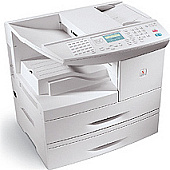





Xerox FaxCentre F12 Multifunction Printers Supplies

Ads

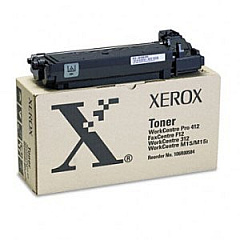
Xerox FaxCentre F12 Black Toner Cartridges

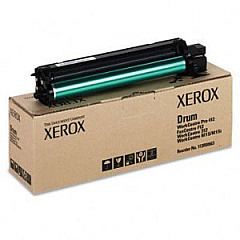
Xerox FaxCentre F12 Drum Units

Ensure uninterrupted productivity with genuine Xerox FaxCentre F12 Toner Cartridges. These high-quality supplies are specifically designed for optimal performance in your Xerox FaxCentre F12 device. The Xerox 106R00584 Black Toner Cartridge delivers crisp, clear text and sharp images, while the Xerox 113R00663 Drum Cartridge ensures consistent print quality throughout its lifecycle. By choosing authentic Xerox supplies, you'll maximize your device's efficiency and longevity. These cartridges are easy to install and offer reliable, streak-free printing for all your business needs. Whether you're printing important documents, sending faxes, or making copies, these Xerox FaxCentre F12 Toner Cartridges provide the professional results you demand. Trust in Xerox's commitment to quality and innovation to keep your office running smoothly and productively.

Xerox FaxCentre F12 Multifunction Printers Supplies FAQs

  • How long do Xerox FaxCentre F12 Toner Cartridges typically last?

    The Xerox 106R00584 Black Toner Cartridge yields approximately 6,000 pages, while the Xerox 113R00663 Drum Cartridge lasts for about 12,000 pages under normal printing conditions.

  • Are these cartridges compatible with other Xerox models?

    These cartridges are specifically designed for the Xerox FaxCentre F12 and may not be compatible with other Xerox models.

  • How can I tell when it's time to replace my toner cartridge?

    Your Xerox FaxCentre F12 will display a low toner warning when it's time to replace the cartridge. You may also notice a decrease in print quality.

  • Can I recycle used Xerox toner cartridges?

    Yes, Xerox offers a free recycling program for used toner cartridges. Visit their website for more information on how to participate.

  • What's the difference between the toner cartridge and the drum cartridge?

    The toner cartridge contains the ink powder, while the drum cartridge transfers the toner onto the paper. Both are essential for printing.

  • Are these genuine Xerox cartridges?

    Yes, these are authentic Xerox cartridges designed specifically for the FaxCentre F12 model.

  • How should I store unused toner cartridges?

    Store unused cartridges in a cool, dry place away from direct sunlight. Keep them in their original packaging until ready for use.

  • What should I do if I experience print quality issues?

    First, check if the toner is low. If not, try cleaning the printer's interior and print head. If issues persist, consider replacing the drum cartridge.

  • Can I use third-party or refilled cartridges in my Xerox FaxCentre F12?

    While third-party cartridges may work, using genuine Xerox cartridges ensures optimal performance and protects your printer's warranty.

  • How do I install new toner and drum cartridges?

    Refer to your Xerox FaxCentre F12 user manual for step-by-step instructions on replacing both toner and drum cartridges. The process is generally simple and user-friendly.

Warehouse Locations

Policy & Agreement | Copyright © 1995-2026 BlueDogInk.com
