







Ads

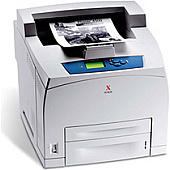
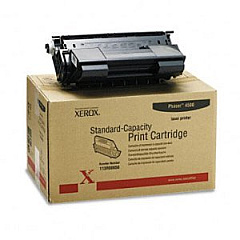
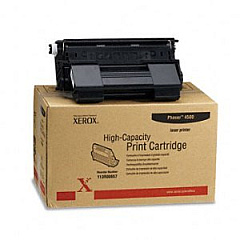
Xerox Phaser 4500N Black Toner Cartridges

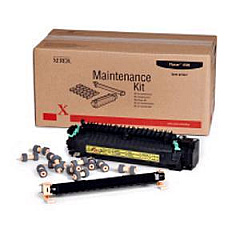
Xerox Phaser 4500N Maintenance Kits

Xerox Phaser 4500N Printer Accessories

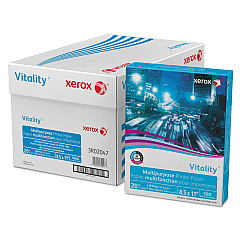
Xerox Phaser 4500N Copy Paper

Enhance your printing experience with genuine Xerox Phaser 4500N Toner Cartridges and supplies. These high-quality components ensure optimal performance and crisp, professional output for your business, educational institution, government office, healthcare facility, or wholesale operation. The Xerox 108R00600 Maintenance Kit keeps your printer running smoothly, while the 113R00656 and 113R00657 Black Toner Cartridges deliver superior print quality. Boost your printer's capabilities with the 128 MB DIMM Memory Option Kit, and stay compliant with the RoHS-certified 097S03722 option. By choosing authentic Xerox supplies, you'll maximize your Phaser 4500N's efficiency, reduce downtime, and maintain consistent, high-quality prints. Trust in Xerox's reputation for excellence and invest in these reliable consumables to keep your printing operations running at peak performance.

Xerox Phaser 4500N Toner Cartridges FAQs

  • What is the page yield of the Xerox 113R00656 Black Toner Cartridge?

    The Xerox 113R00656 Black Toner Cartridge has a page yield of approximately 10,000 pages at 5% coverage.

  • How often should I replace the Xerox 108R00600 Maintenance Kit?

    The maintenance kit should be replaced after approximately 200,000 pages or when indicated by the printer's maintenance alert.

  • Are these toner cartridges compatible with other Xerox printer models?

    These toner cartridges are specifically designed for the Xerox Phaser 4500N and may not be compatible with other models. Always check your printer's compatibility before purchasing.

  • What's the difference between the 113R00656 and 113R00657 toner cartridges?

    The 113R00657 is a high-capacity toner cartridge with a higher page yield compared to the standard 113R00656 cartridge.

  • How does the 128 MB DIMM Memory Option Kit improve printer performance?

    The memory upgrade allows for faster processing of complex print jobs and improves overall printer performance, especially when handling large files or multiple print jobs simultaneously.

  • What does RoHS certification mean for the 097S03722 option?

    RoHS certification ensures that the product complies with the Restriction of Hazardous Substances Directive, meaning it's free from certain harmful materials and is more environmentally friendly.

  • Can I use third-party toner cartridges with my Xerox Phaser 4500N?

    While third-party cartridges may work, using genuine Xerox toner cartridges ensures optimal print quality, reliability, and prevents potential damage to your printer.

  • How do I install the new toner cartridge in my Xerox Phaser 4500N?

    To install a new toner cartridge, open the front cover, remove the old cartridge, shake the new cartridge gently, remove the protective cover, and insert it into the printer until it clicks into place.

  • What should I do with my used toner cartridges?

    Xerox offers a recycling program for used toner cartridges. You can return them to Xerox or participate in local recycling initiatives to minimize environmental impact.

  • How can I extend the life of my Xerox Phaser 4500N toner cartridges?

    To extend toner life, use draft mode for internal documents, print in grayscale when color isn't necessary, and ensure your printer firmware is up to date for optimal efficiency.

Warehouse Locations

Policy & Agreement | Copyright © 1995-2026 BlueDogInk.com
