






Ads

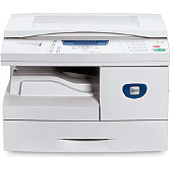
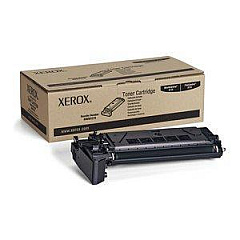
Xerox WorkCentre 4118p Black Toner Cartridges

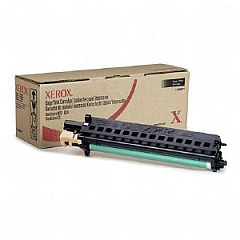
Xerox WorkCentre 4118p Drum Units

Xerox WorkCentre 4118p Copy Paper

Ensure optimal performance and crisp prints with genuine Xerox WorkCentre 4118p Toner Cartridges. These high-quality supplies are specifically designed for the Xerox WorkCentre 4118p printer, delivering consistent, professional results for businesses, educational institutions, government offices, and healthcare facilities. The Xerox 006R01278 Black Toner Cartridge offers exceptional yield and sharp text, while the Xerox 113R00671 Drum Cartridge ensures long-lasting image quality. By choosing authentic Xerox supplies, you'll maximize your printer's efficiency and minimize downtime. These cartridges are easy to install and provide reliable performance, making them ideal for high-volume printing environments. Whether you're printing important documents, reports, or presentations, Xerox WorkCentre 4118p Toner Cartridges guarantee superior output that meets your organization's demanding standards. Invest in genuine Xerox supplies to protect your printer and maintain its peak performance.

Xerox WorkCentre 4118p Toner Cartridges FAQs

  • What is the page yield of the Xerox 006R01278 Black Toner Cartridge?

    The Xerox 006R01278 Black Toner Cartridge has an approximate yield of 8,000 pages at 5% coverage.

  • How often should I replace the Xerox 113R00671 Drum Cartridge?

    The Xerox 113R00671 Drum Cartridge typically needs replacement after approximately 20,000 pages, depending on usage.

  • Are these cartridges compatible with other Xerox printer models?

    These cartridges are specifically designed for the Xerox WorkCentre 4118p and may not be compatible with other models.

  • Can I use third-party toner cartridges in my Xerox WorkCentre 4118p?

    While third-party cartridges may work, using genuine Xerox supplies ensures optimal performance and protects your printer's warranty.

  • How do I install the toner cartridge in my Xerox WorkCentre 4118p?

    Open the front cover, remove the old cartridge, and insert the new one until it clicks into place. Close the cover to complete installation.

  • What should I do with my used toner cartridges?

    Xerox offers a recycling program for used cartridges. Visit their website or contact customer support for details on how to participate.

  • How can I extend the life of my toner cartridge?

    Use draft mode for internal documents, print in grayscale when possible, and ensure your printer firmware is up to date for optimal efficiency.

  • Are these cartridges covered by a warranty?

    Yes, genuine Xerox cartridges come with a warranty against defects in materials and workmanship.

  • Can I store spare toner cartridges for future use?

    Yes, store cartridges in a cool, dry place away from direct sunlight. Use within 1-2 years for best results.

  • How do I know when it's time to replace my toner cartridge?

    Your printer will display a low toner warning. You may also notice faded prints or streaks on your documents.

Warehouse Locations

Policy & Agreement | Copyright © 1995-2026 BlueDogInk.com
