









Ads

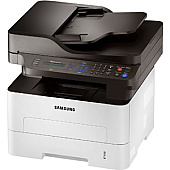
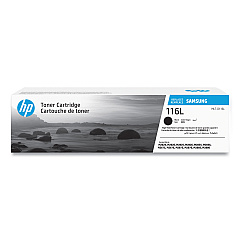
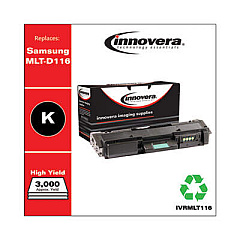
Samsung SL-M2875FD Black Toner Cartridges

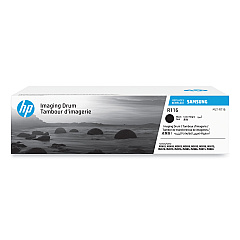
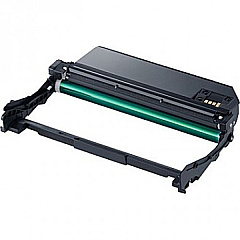
Samsung SL-M2875FD Drum Units

Samsung SL-M2875FD Copy Paper

Ensure optimal performance for your Samsung SL-M2875FD printer with our high-quality Samsung SL-M2875FD Toner Cartridges. Our selection includes the Samsung MLT-D116L Black Toner Cartridge, delivering crisp, professional-grade text and graphics for all your printing needs. This high-yield cartridge offers excellent value, producing up to 3,000 pages before replacement. For long-lasting image quality, we also offer the Samsung MLT-R116 Imaging Unit, which helps maintain consistent print quality throughout the life of your toner cartridges. These genuine Samsung supplies are designed specifically for the SL-M2875FD model, guaranteeing compatibility and reliability. Whether you're printing important business documents, educational materials, or healthcare records, our toner cartridges ensure sharp, smudge-free results every time. Trust in the quality and performance of Samsung supplies to keep your printer running smoothly and efficiently.

Samsung SL-M2875FD Toner Cartridges FAQs

  • How many pages can the Samsung MLT-D116L Black Toner Cartridge print?

    The Samsung MLT-D116L Black Toner Cartridge can print up to 3,000 pages.

  • Are these toner cartridges compatible with other Samsung printer models?

    These cartridges are specifically designed for the Samsung SL-M2875FD printer. Always check your printer's compatibility before purchasing.

  • What is the purpose of the Samsung MLT-R116 Imaging Unit?

    The imaging unit helps maintain consistent print quality and extends the life of your toner cartridges.

  • How often should I replace the imaging unit?

    The imaging unit typically needs replacement after processing about 9,000 pages, but this can vary based on usage.

  • Are these genuine Samsung toner cartridges?

    Yes, these are genuine Samsung toner cartridges designed for optimal performance with your Samsung SL-M2875FD printer.

  • Can I use third-party or refilled cartridges in my Samsung SL-M2875FD printer?

    While third-party cartridges may work, using genuine Samsung cartridges ensures the best print quality and prevents potential damage to your printer.

  • How do I install the toner cartridge in my Samsung SL-M2875FD printer?

    Open the front cover, remove the old cartridge, and insert the new one until it clicks into place. Close the cover to complete installation.

  • What should I do with my used toner cartridges?

    Samsung offers a recycling program for used cartridges. Check their website or contact your local recycling center for proper disposal methods.

  • How long can I store unused toner cartridges?

    Unopened toner cartridges can typically be stored for up to two years. Keep them in a cool, dry place away from direct sunlight.

  • Does using genuine Samsung toner cartridges affect my printer's warranty?

    Using genuine Samsung cartridges helps maintain your printer's warranty. Using third-party cartridges may void the warranty if they cause damage to the printer.

Warehouse Locations

Policy & Agreement | Copyright © 1995-2026 BlueDogInk.com
