









Ads

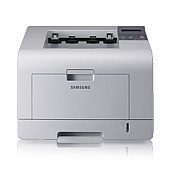
Samsung ML-3470D Copy Paper

Ensure uninterrupted printing with genuine Samsung ML-3470D Toner Cartridges, designed specifically for your Samsung ML-3470D printer. These high-quality cartridges deliver crisp, professional-grade text and graphics, perfect for businesses, educational institutions, government offices, and healthcare facilities. The Samsung JC91-00947A Fuser Unit complements these cartridges, ensuring optimal performance and longevity of your printer. With their impressive yield and reliability, these toner cartridges minimize downtime and maximize productivity in high-volume printing environments. Whether you're printing important documents, reports, or presentations, Samsung ML-3470D Toner Cartridges provide consistent, superior results. Choose these authentic Samsung supplies to maintain your printer's warranty and avoid potential damage from third-party alternatives. Invest in quality and efficiency with Samsung ML-3470D Toner Cartridges, the smart choice for your printing needs.

Samsung ML-3470D Toner Cartridges FAQs

  • What is the page yield of Samsung ML-3470D Toner Cartridges?

    The standard Samsung ML-3470D Toner Cartridge typically yields around 4,000 pages, while the high-yield version can print up to 10,000 pages.

  • Are these toner cartridges compatible with other Samsung printer models?

    These cartridges are specifically designed for the Samsung ML-3470D printer. Always check your printer's manual for compatible cartridge models.

  • How often should I replace the Samsung JC91-00947A Fuser Unit?

    The fuser unit typically needs replacement after 100,000 to 150,000 pages, depending on usage and print environment.

  • Can I use third-party toner cartridges in my Samsung ML-3470D printer?

    While third-party cartridges may work, using genuine Samsung cartridges ensures optimal print quality and helps maintain your printer's warranty.

  • How do I install a new toner cartridge in the Samsung ML-3470D printer?

    Open the front cover, remove the old cartridge, unpack the new one, and insert it until it clicks into place. Close the cover to complete installation.

  • What should I do if I experience print quality issues with my Samsung ML-3470D Toner Cartridges?

    Try removing and gently shaking the cartridge to redistribute toner. If issues persist, check for damage or consider replacing the cartridge.

  • Are Samsung ML-3470D Toner Cartridges environmentally friendly?

    Samsung offers a recycling program for used cartridges, promoting environmental sustainability. Check their website for details on how to participate.

  • How long can I store unused Samsung ML-3470D Toner Cartridges?

    Unopened cartridges can typically be stored for up to two years. Keep them in a cool, dry place away from direct sunlight for best results.

  • Can I refill Samsung ML-3470D Toner Cartridges myself?

    While possible, refilling cartridges yourself is not recommended as it may compromise print quality and potentially damage your printer.

  • What's the difference between standard and high-yield Samsung ML-3470D Toner Cartridges?

    High-yield cartridges contain more toner and can print more pages before needing replacement, making them more cost-effective for high-volume printing.

Warehouse Locations

Policy & Agreement | Copyright © 1995-2026 BlueDogInk.com
