









Ads

Samsung ML-1665 Black Toner Cartridges

Samsung ML-1665 Copy Paper

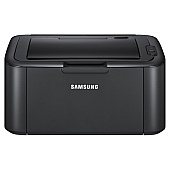
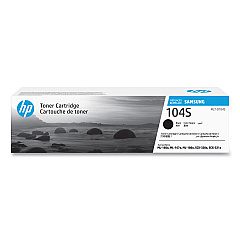
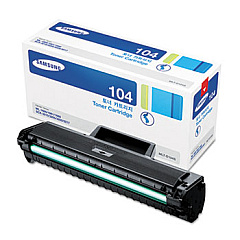
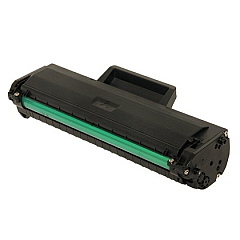
Enhance your printing experience with genuine Samsung ML-1665 Toner Cartridges, designed specifically for the Samsung ML-1665 laser printer. These high-quality cartridges, including the Samsung MLT-D104S Black Toner Cartridge, deliver crisp, professional-grade text and graphics for all your business, educational, or personal needs. With a generous page yield, these toner cartridges ensure cost-effective printing while maintaining exceptional print quality. The Samsung ML-1665 Toner Cartridges are easy to install and compatible with your printer, guaranteeing seamless operation and minimal downtime. Whether you're printing important documents, reports, or everyday correspondence, these reliable toner cartridges provide consistent, smudge-free results. Invest in genuine Samsung toner cartridges to maximize your printer's performance and extend its lifespan, ensuring your printing needs are met with precision and efficiency.

Samsung ML-1665 Toner Cartridges FAQs

  • What is the page yield of the Samsung MLT-D104S Black Toner Cartridge?

    The Samsung MLT-D104S Black Toner Cartridge has an approximate page yield of 1,500 pages at 5% coverage.

  • Are these toner cartridges compatible with other Samsung printer models?

    The Samsung MLT-D104S is specifically designed for the Samsung ML-1665 and may be compatible with some other Samsung models. Always check your printer's compatibility before purchasing.

  • How long do these toner cartridges typically last?

    The lifespan of a toner cartridge depends on usage, but with average use, it can last several months to a year.

  • Are these genuine Samsung toner cartridges?

    Yes, the toner cartridges sold on this page are genuine Samsung products.

  • Can I recycle the used toner cartridges?

    Yes, Samsung offers a recycling program for used toner cartridges. Check their website for details on how to participate.

  • How do I install the new toner cartridge in my Samsung ML-1665 printer?

    Installation is simple. Open the printer's front cover, remove the old cartridge, and insert the new one until it clicks into place. Close the cover, and you're ready to print.

  • What should I do if I experience print quality issues with these cartridges?

    First, ensure the cartridge is properly installed. If issues persist, try printing a test page or cleaning the printer. If problems continue, contact Samsung support.

  • Are these toner cartridges covered by a warranty?

    Yes, genuine Samsung toner cartridges typically come with a limited warranty. Check the product packaging or Samsung's website for specific warranty details.

  • Can I use third-party or refilled cartridges in my Samsung ML-1665 printer?

    While third-party cartridges may work, using genuine Samsung cartridges ensures optimal print quality and prevents potential damage to your printer.

  • How should I store unused toner cartridges?

    Store unused cartridges in a cool, dry place away from direct sunlight. Keep them in their original packaging until ready for use to protect them from damage and extend their shelf life.

Warehouse Locations

Policy & Agreement | Copyright © 1995-2026 BlueDogInk.com
