









Ads

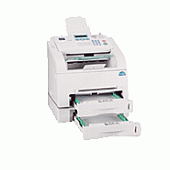
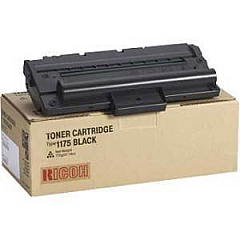
Ricoh FAX2210L Black Toner Cartridges

Ricoh FAX2210L Copy Paper

Ensure uninterrupted productivity with genuine Ricoh FAX2210L Toner Cartridges. These high-quality cartridges are specifically designed for the Ricoh FAX2210L, delivering crisp, clear text and images for all your faxing needs. The Ricoh 412672 Black Toner Cartridge offers exceptional yield and reliability, minimizing downtime and replacement frequency. Perfect for businesses, educational institutions, government offices, healthcare facilities, and wholesale operations, these toner cartridges provide consistent performance and superior print quality. With easy installation and compatibility guaranteed, you can trust these cartridges to maintain your fax machine's optimal functionality. Choose Ricoh FAX2210L Toner Cartridges for cost-effective, high-quality faxing that meets the demands of your busy environment. Don't compromise on quality – invest in genuine Ricoh supplies to keep your communication flowing smoothly and professionally.

Ricoh FAX2210L Toner Cartridges FAQs

  • What is the page yield of the Ricoh 412672 Black Toner Cartridge?

    The Ricoh 412672 Black Toner Cartridge typically yields around 5,000 pages at 5% coverage.

  • Is this toner cartridge compatible with other Ricoh fax machines?

    The Ricoh 412672 is specifically designed for the FAX2210L model. It may not be compatible with other Ricoh fax machines.

  • How long does the toner cartridge typically last?

    The lifespan of the cartridge depends on usage, but under normal conditions, it can last several months to a year.

  • Are these genuine Ricoh toner cartridges?

    Yes, these are genuine Ricoh toner cartridges, ensuring optimal performance and compatibility with your FAX2210L.

  • Can I recycle the used toner cartridges?

    Yes, Ricoh offers a recycling program for used toner cartridges. Check their website for details on how to participate.

  • How do I install the new toner cartridge?

    Installation is simple. Open the front cover, remove the old cartridge, and insert the new one until it clicks into place. Refer to your user manual for detailed instructions.

  • What should I do if I experience print quality issues?

    First, ensure the cartridge is properly installed. If issues persist, try printing a test page or cleaning the print head. If problems continue, contact Ricoh support.

  • Are there any storage recommendations for unused toner cartridges?

    Store unused cartridges in a cool, dry place away from direct sunlight. Keep them in their original packaging until ready for use.

  • How can I tell when it's time to replace the toner cartridge?

    Your FAX2210L will typically display a low toner warning. You may also notice a decrease in print quality or faded text.

  • Do you offer bulk discounts for these toner cartridges?

    Please contact our sales team for information on bulk pricing and discounts for large orders.

Warehouse Locations

Policy & Agreement | Copyright © 1995-2026 BlueDogInk.com
