









Ads

Ricoh CL7300DL Black Toner Cartridges

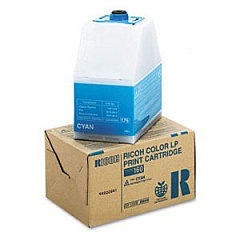
Ricoh CL7300DL Color Toner Cartridges

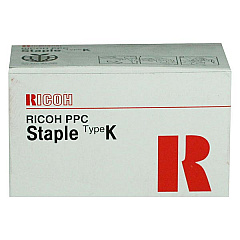
Ricoh CL7300DL Printer Staples

Ricoh CL7300DL Copy Paper

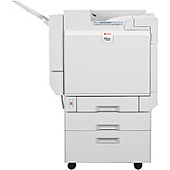
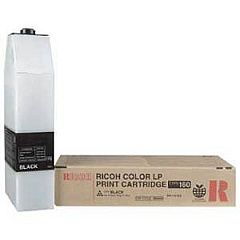
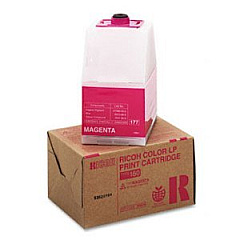
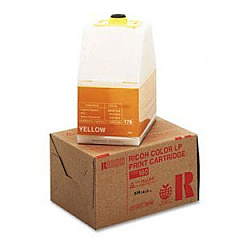
Enhance your printing experience with genuine Ricoh CL7300DL Toner Cartridges, designed to deliver exceptional quality and reliability. Our comprehensive range includes the Ricoh 410801 Staple Cartridge for seamless document finishing, as well as the Type 160 series of toner cartridges in Black, Cyan, Magenta, and Yellow. These high-performance cartridges ensure crisp text and vibrant colors, meeting the demands of businesses, educational institutions, government offices, healthcare facilities, and wholesale operations. By choosing authentic Ricoh supplies, you'll maximize your CL7300DL printer's efficiency and longevity while producing professional-grade documents. Our toner cartridges are engineered to minimize waste and environmental impact, aligning with your organization's sustainability goals. Trust in the superior print quality and consistency that only genuine Ricoh CL7300DL Toner Cartridges can provide, keeping your operations running smoothly and your printed materials looking their best.

Ricoh CL7300DL Toner Cartridges FAQs

  • How long do Ricoh CL7300DL toner cartridges typically last?

    The lifespan of Ricoh CL7300DL toner cartridges varies depending on usage, but they generally yield around 15,000 pages for black and 15,000 pages for each color cartridge at 5% coverage.

  • Are these toner cartridges compatible with other Ricoh printer models?

    The Ricoh Type 160 toner cartridges are specifically designed for the CL7300DL model and may not be compatible with other Ricoh printers. Always check your printer's specifications for the correct cartridge type.

  • Can I use third-party toner cartridges in my Ricoh CL7300DL printer?

    While third-party cartridges may work, using genuine Ricoh toner cartridges ensures optimal print quality, reliability, and prevents potential damage to your printer.

  • How do I install a new toner cartridge in the Ricoh CL7300DL?

    To install a new cartridge, open the front cover, remove the old cartridge, unpack the new one, and insert it into the corresponding slot until it clicks into place. Close the cover to complete installation.

  • What should I do with my used Ricoh toner cartridges?

    Ricoh offers a recycling program for used toner cartridges. You can return them to Ricoh or participate in local recycling initiatives to minimize environmental impact.

  • How can I tell if my Ricoh CL7300DL toner cartridge is running low?

    The printer's display panel will show a low toner warning when a cartridge is nearing depletion. You can also check toner levels through the printer's software interface on your computer.

  • Are Ricoh Type 160 toner cartridges available in high-yield versions?

    The standard Ricoh Type 160 toner cartridges are designed to be high-yield. There are no separate high-yield versions for this particular model.

  • How should I store unused toner cartridges?

    Store unused cartridges in a cool, dry place away from direct sunlight. Keep them in their original packaging until ready for use to protect them from dust and damage.

  • Can I order these toner cartridges in bulk for my business?

    Yes, bulk ordering options are available for businesses. Contact our sales team for information on volume discounts and business account benefits.

  • What is the warranty on Ricoh CL7300DL toner cartridges?

    Genuine Ricoh toner cartridges come with a standard manufacturer's warranty against defects in materials and workmanship. Contact Ricoh support for specific warranty details and coverage period.

Warehouse Locations

Policy & Agreement | Copyright © 1995-2026 BlueDogInk.com
