









Ads

Ricoh AP400N Black Toner Cartridges

Ricoh AP400N Copy Paper

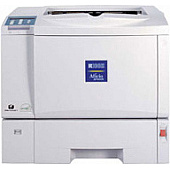
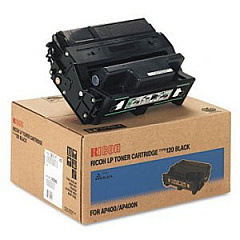
Enhance your printing experience with genuine Ricoh AP400N Toner Cartridges, designed specifically for the Ricoh AP400N printer. These high-quality cartridges, including the Ricoh Type 120 Black Toner Cartridge, deliver exceptional print quality and reliability for your business, educational, governmental, healthcare, or wholesale needs. With a focus on efficiency and cost-effectiveness, Ricoh AP400N Toner Cartridges provide crisp, clear text and sharp images, ensuring professional-looking documents every time. These cartridges are engineered to maximize your printer's performance, offering consistent output and minimal downtime. By choosing authentic Ricoh toner, you're investing in superior print quality, reduced waste, and extended printer life. Whether you're printing important reports, educational materials, or critical healthcare documents, trust Ricoh AP400N Toner Cartridges to meet your high-volume printing demands with precision and reliability.

Ricoh AP400N Toner Cartridges FAQs

  • How long does a Ricoh AP400N toner cartridge typically last?

    The Ricoh Type 120 Black Toner Cartridge for the AP400N typically yields around 15,000 pages at 5% coverage.

  • Are compatible toner cartridges available for the Ricoh AP400N?

    While compatible cartridges may be available, using genuine Ricoh toner is recommended for optimal performance and to maintain warranty coverage.

  • How can I tell if my Ricoh AP400N toner cartridge needs replacement?

    The printer will display a low toner warning when the cartridge is running low. You may also notice a decrease in print quality.

  • Can I recycle my used Ricoh AP400N toner cartridges?

    Yes, Ricoh offers a recycling program for used toner cartridges. Check their website or contact your local Ricoh representative for details.

  • Is the Ricoh Type 120 Black Toner Cartridge compatible with other Ricoh printer models?

    The Type 120 cartridge is designed specifically for certain models, including the AP400N. Always check your printer's compatibility before purchasing.

  • How should I store unused Ricoh AP400N toner cartridges?

    Store cartridges in a cool, dry place away from direct sunlight. Keep them in their original packaging until ready for use.

  • What should I do if I experience print quality issues with my Ricoh AP400N toner?

    First, ensure you're using genuine Ricoh toner. If issues persist, try cleaning the printer's interior and print head. If problems continue, contact Ricoh support.

  • Can I purchase Ricoh AP400N toner cartridges in bulk for my business?

    Yes, many suppliers offer bulk purchasing options for businesses. Contact your preferred vendor or Ricoh directly for bulk pricing.

  • How do I properly install a new toner cartridge in my Ricoh AP400N printer?

    Consult your printer's user manual for specific instructions. Generally, you'll need to open the front cover, remove the old cartridge, and insert the new one until it clicks into place.

  • Are there any special handling precautions for Ricoh AP400N toner cartridges?

    Avoid touching the drum surface, keep away from direct sunlight, and don't shake the cartridge vigorously. If toner spills, clean it with cold water and avoid using hot water or heat.

Warehouse Locations

Policy & Agreement | Copyright © 1995-2026 BlueDogInk.com
