









Ads

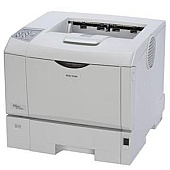
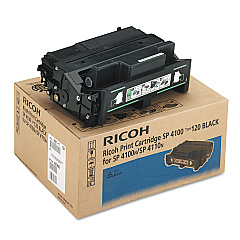
Ricoh Aficio SP 4210N Black Toner Cartridges

Ricoh Aficio SP 4210N Maintenance Kits

Ricoh Aficio SP 4210N Copy Paper

Ensure uninterrupted productivity with genuine Ricoh Aficio SP 4210N Toner Cartridges. These high-quality consumables are designed to deliver crisp, professional-grade prints for your business, educational institution, government office, healthcare facility, or wholesale operation. The Ricoh 402809 and 406997 Black Toner Cartridges offer exceptional yield and consistent output, while the Ricoh 406642 Maintenance Kit keeps your printer running smoothly. By choosing authentic Ricoh supplies, you'll maximize your printer's performance and extend its lifespan. These toner cartridges are engineered to work seamlessly with your Ricoh Aficio SP 4210N, ensuring optimal print quality and reliability. Invest in genuine Ricoh Aficio SP 4210N Toner Cartridges to maintain the efficiency of your printing operations and produce sharp, clear documents that make a lasting impression on your clients and colleagues.

Ricoh Aficio SP 4210N Toner Cartridges FAQs

  • What is the page yield for the Ricoh 402809 Black Toner Cartridge?

    The Ricoh 402809 Black Toner Cartridge typically yields around 15,000 pages at 5% coverage.

  • How often should I replace the Ricoh 406642 Maintenance Kit?

    The maintenance kit should be replaced approximately every 120,000 pages, or as recommended by your printer's maintenance schedule.

  • Are these toner cartridges compatible with other Ricoh printer models?

    These cartridges are specifically designed for the Ricoh Aficio SP 4210N. Always check your printer's compatibility before purchasing.

  • What's the difference between the Ricoh 402809 and 406997 Black Toner Cartridges?

    The main difference is typically the yield capacity. The 406997 usually has a higher page yield than the 402809.

  • Can I use third-party toner cartridges in my Ricoh Aficio SP 4210N?

    While third-party cartridges may work, using genuine Ricoh cartridges ensures optimal performance and maintains your printer's warranty.

  • How do I install the new toner cartridge in my Ricoh Aficio SP 4210N?

    Open the front cover, remove the old cartridge, unpack the new one, and insert it until it clicks into place. Close the cover to complete installation.

  • What should I do with my used toner cartridges?

    Ricoh offers a recycling program for used cartridges. Check their website or contact your local Ricoh representative for details.

  • How can I extend the life of my toner cartridge?

    Use draft mode for internal documents, print in black and white when possible, and keep your printer in a clean, dry environment.

  • Does the Ricoh 406642 Maintenance Kit include a new toner cartridge?

    No, the maintenance kit typically includes parts like a fuser unit and transfer roller, but not a toner cartridge.

  • How do I know when it's time to replace my toner cartridge?

    Your printer will display a low toner warning. You may also notice faded prints or streaks on your documents.

Warehouse Locations

Policy & Agreement | Copyright © 1995-2026 BlueDogInk.com
