










Ads

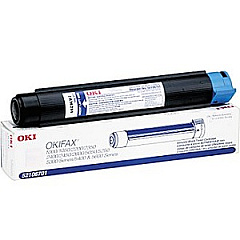
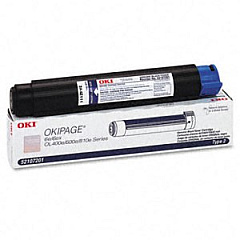
Oki OKIFAX 5250 Black Toner Cartridges

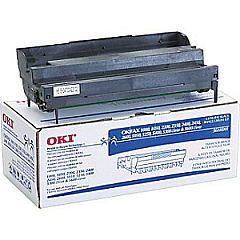
Oki OKIFAX 5250 Drum Units

Oki OKIFAX 5250 Copy Paper

Enhance your printing experience with genuine Oki OKIFAX 5250 Toner Cartridges. These high-quality consumables are designed specifically for the Oki OKIFAX 5250 printer, ensuring optimal performance and crisp, professional results. The Okidata 52106701 and 52107201 Black Toner Cartridges deliver exceptional print quality and yield, while the Okidata 56116901 Image Drum maintains the longevity of your printer. By choosing authentic Oki supplies, you guarantee consistent, high-quality output for all your business, educational, healthcare, or wholesale needs. These toner cartridges are engineered to work seamlessly with your Oki OKIFAX 5250, minimizing downtime and maximizing productivity. Invest in reliable Oki OKIFAX 5250 Toner Cartridges to keep your printing operations running smoothly and efficiently, producing sharp text and clear images that meet the demands of your professional environment.

Oki OKIFAX 5250 Toner Cartridges FAQs

  • What is the page yield for the Okidata 52106701 Black Toner Cartridge?

    The Okidata 52106701 Black Toner Cartridge typically yields around 4,000 pages at 5% coverage.

  • Are these toner cartridges compatible with other Oki printer models?

    These toner cartridges are specifically designed for the Oki OKIFAX 5250 model and may not be compatible with other Oki printers.

  • How often should I replace the Okidata 56116901 Image Drum?

    The image drum typically needs replacement after processing about 20,000 pages, but this can vary based on usage patterns.

  • Can I use third-party toner cartridges in my Oki OKIFAX 5250?

    While third-party cartridges may work, using genuine Oki toner cartridges ensures optimal print quality and prevents potential damage to your printer.

  • What's the difference between the Okidata 52106701 and 52107201 toner cartridges?

    The main difference is typically the page yield, with the 52107201 usually offering a higher yield than the 52106701.

  • How do I install a new toner cartridge in the Oki OKIFAX 5250?

    To install a new cartridge, open the front cover, remove the old cartridge, unpack the new one, and insert it until it clicks into place. Then close the cover.

  • Are these toner cartridges environmentally friendly?

    Oki designs its toner cartridges with environmental considerations in mind, often offering recycling programs for used cartridges.

  • How long do unopened toner cartridges last?

    Unopened toner cartridges typically have a shelf life of 1-2 years when stored in a cool, dry place away from direct sunlight.

  • Can I recycle used Oki toner cartridges?

    Yes, Oki often provides recycling programs for used toner cartridges. Check their website or contact customer support for details.

  • What should I do if I experience print quality issues with these toner cartridges?

    If you experience print quality issues, first ensure the cartridge is properly installed. If problems persist, try cleaning the printer's internal components or contact Oki support for assistance.

Warehouse Locations

Policy & Agreement | Copyright © 1995-2026 BlueDogInk.com
