










Ads

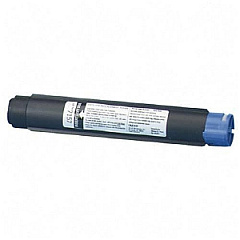
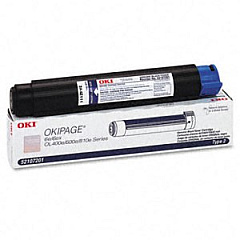
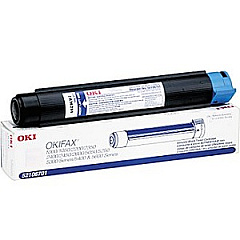
Oki OKIFAX 2400 Black Toner Cartridges

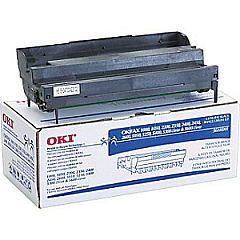
Oki OKIFAX 2400 Drum Units

Oki OKIFAX 2400 Copy Paper

Enhance your printing experience with genuine Oki OKIFAX 2400 Toner Cartridges. These high-quality supplies ensure optimal performance for your Oki OKIFAX 2400 printer, delivering crisp, professional-grade documents every time. Choose from the Okidata 52106701 or 52107201 Black Toner Cartridges for consistent, bold text and graphics. For long-lasting image quality, pair these with the Okidata 56116901 Image Drum. These reliable components work seamlessly together to maximize your printer's efficiency and extend its lifespan. Whether you're in a busy office, educational institution, healthcare facility, or government agency, these toner cartridges provide the dependable output you need. Don't compromise on quality – trust Oki OKIFAX 2400 Toner Cartridges for all your printing needs. Invest in these superior supplies to maintain your printer's performance and produce impressive results that meet the demands of your professional environment.

Oki OKIFAX 2400 Toner Cartridges FAQs

  • What is the page yield for the Okidata 52106701 Black Toner Cartridge?

    The Okidata 52106701 Black Toner Cartridge typically yields around 3,000 pages.

  • Are these toner cartridges compatible with other Oki printer models?

    These cartridges are specifically designed for the Oki OKIFAX 2400. Always check your printer's compatibility before purchasing.

  • How often should I replace the Okidata 56116901 Image Drum?

    The image drum usually needs replacement after processing about 20,000 pages, but this can vary based on usage.

  • Can I use third-party toner cartridges in my Oki OKIFAX 2400?

    While third-party cartridges may work, using genuine Oki cartridges ensures optimal performance and maintains your printer's warranty.

  • What's the difference between the 52106701 and 52107201 toner cartridges?

    The main difference is typically the page yield, with the 52107201 usually offering a higher capacity than the 52106701.

  • How do I install a new toner cartridge in the Oki OKIFAX 2400?

    Consult your printer's manual for specific instructions, but generally, you'll open the front cover, remove the old cartridge, and insert the new one until it clicks into place.

  • Are these toner cartridges environmentally friendly?

    Oki designs its cartridges with environmental considerations in mind. Many components are recyclable, and Oki offers a recycling program for used cartridges.

  • How long do unopened toner cartridges last?

    Unopened toner cartridges typically have a shelf life of 1-2 years when stored properly in a cool, dry place away from direct sunlight.

  • Can I buy these cartridges in bulk for my business?

    Yes, many suppliers offer bulk purchasing options for businesses. Contact the seller directly to inquire about bulk pricing and availability.

  • What should I do if I experience print quality issues with these cartridges?

    First, ensure the cartridge is properly installed. If issues persist, try cleaning the printer's internal components or running a print quality diagnostic test from the printer's menu.

Warehouse Locations

Policy & Agreement | Copyright © 1995-2026 BlueDogInk.com
