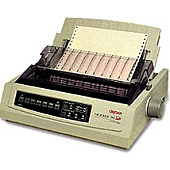





Oki Microline 391n Turbo 24 Pin Dot Matrix Printers Supplies

Ads

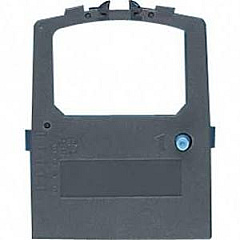
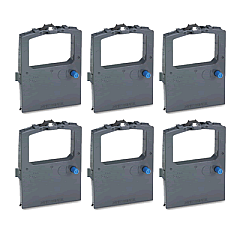
Oki Microline 391n Turbo Dot Matrix Ribbon

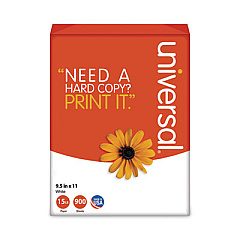
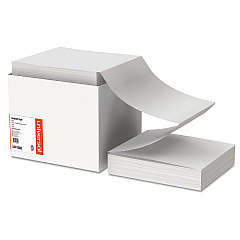
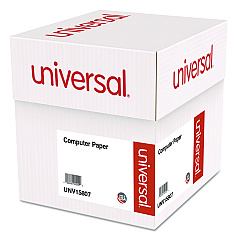
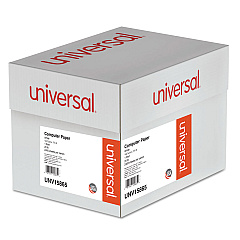
Oki Microline 391n Turbo Copy Paper

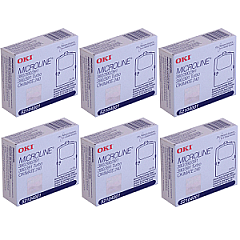
Discover top-quality Oki Microline 391n Turbo 24 Pin Dot Matrix Printers Supplies at Blue Dog Ink. Our comprehensive selection includes the essential Okidata 52104001 Black Ribbon Cartridge and the cost-effective Okidata 52104001 Ribbon Cartridge Pack. These high-performance supplies ensure crisp, clear printing for your business, educational, healthcare, or wholesale needs. The Oki Microline 391n Turbo, known for its reliability and speed, demands premium supplies to maintain its exceptional output quality. Our genuine Okidata ribbons are designed to maximize your printer's performance, delivering consistent results page after page. Whether you're printing invoices, reports, or multi-part forms, trust Blue Dog Ink to provide the Oki Microline 391n Turbo 24 Pin Dot Matrix Printers Supplies you need for uninterrupted, professional-grade printing. Stock up now and experience the difference that quality supplies can make in your daily operations.

Oki Microline 391n Turbo 24 Pin Dot Matrix Printers Supplies FAQs

  • How long does the Okidata 52104001 Black Ribbon Cartridge last?

    The Okidata 52104001 Black Ribbon Cartridge typically lasts for approximately 4 million characters, depending on usage and print density.

  • Is the Okidata 52104001 Ribbon Cartridge compatible with other Oki printers?

    While primarily designed for the Oki Microline 391n Turbo, this ribbon cartridge is compatible with several other Oki dot matrix printers. Always check your printer's specifications for compatibility.

  • How many ribbon cartridges are included in the Okidata 52104001 Ribbon Cartridge Pack?

    The Okidata 52104001 Ribbon Cartridge Pack typically includes 6 individual ribbon cartridges.

  • Can I use third-party ribbons with my Oki Microline 391n Turbo printer?

    While third-party ribbons may work, we recommend using genuine Okidata supplies to ensure optimal print quality and to avoid potential damage to your printer.

  • How do I install the Okidata 52104001 Black Ribbon Cartridge?

    To install, open the printer cover, remove the old cartridge, align the new cartridge with the print head, and press it into place until it clicks. Then, use the tension knob to tighten the ribbon.

  • What is the shelf life of unopened Okidata ribbon cartridges?

    Unopened Okidata ribbon cartridges typically have a shelf life of 1-2 years when stored in a cool, dry place away from direct sunlight.

  • Can the Oki Microline 391n Turbo print in color?

    No, the Oki Microline 391n Turbo is a monochrome printer and only uses black ribbon cartridges for printing.

  • How often should I replace the ribbon cartridge in my Oki Microline 391n Turbo?

    Replacement frequency depends on usage, but typically when print quality begins to fade or become lighter, it's time to replace the ribbon cartridge.

  • Are these ribbon cartridges environmentally friendly?

    Okidata designs their products with environmental considerations in mind. The cartridges can often be recycled through Okidata's recycling program.

  • What's the difference between the single Okidata 52104001 Black Ribbon Cartridge and the Ribbon Cartridge Pack?

    The single cartridge is ideal for low-volume users, while the Ribbon Cartridge Pack offers better value for high-volume users and ensures you always have a replacement on hand.

Warehouse Locations

Policy & Agreement | Copyright © 1995-2026 BlueDogInk.com
