










Ads

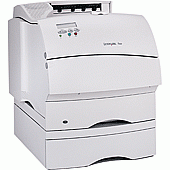
Lexmark Optra T622DN Black Toner Cartridges

Lexmark Optra T622DN Maintenance Kits

Lexmark Optra T622DN Copy Paper

Lexmark Optra T622DN Photo Paper

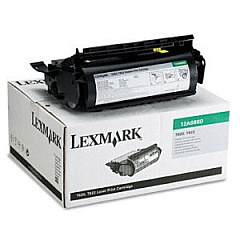
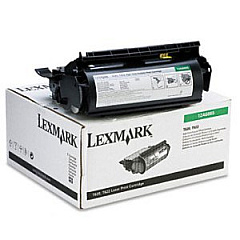
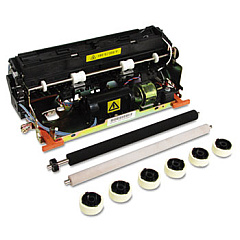
Enhance your printing experience with high-quality Lexmark Optra T622DN Toner Cartridges. These reliable supplies ensure crisp, professional-grade output for your business, educational, healthcare, or government needs. The Lexmark 12A6860 Black Toner Cartridge offers standard yield, while the Lexmark 12A6865 Black Toner Cartridge provides high-capacity performance for larger print jobs. To maintain optimal printer function, the Lexmark 99A2411 Fuser Maintenance Kit is essential for routine upkeep. These genuine Lexmark supplies are designed specifically for the Optra T622DN printer, guaranteeing compatibility and superior results. By choosing authentic Lexmark Optra T622DN Toner Cartridges, you'll benefit from consistent print quality, reduced downtime, and cost-effective printing solutions. Whether you're producing important documents, reports, or presentations, these toner cartridges deliver the performance and reliability you need to keep your operations running smoothly.

Lexmark Optra T622DN Toner Cartridges FAQs

  • What is the page yield for the Lexmark 12A6860 Black Toner Cartridge?

    The Lexmark 12A6860 Black Toner Cartridge has a page yield of approximately 10,000 pages at 5% coverage.

  • How often should I replace the Lexmark 99A2411 Fuser Maintenance Kit?

    The Lexmark 99A2411 Fuser Maintenance Kit should be replaced approximately every 350,000 pages, depending on usage and print conditions.

  • Are these toner cartridges compatible with other Lexmark printer models?

    These toner cartridges are specifically designed for the Lexmark Optra T622DN printer. They may not be compatible with other Lexmark models.

  • What is the difference between the Lexmark 12A6860 and 12A6865 toner cartridges?

    The Lexmark 12A6865 is a high-yield cartridge with a larger page yield compared to the standard-yield Lexmark 12A6860 cartridge.

  • Can I use third-party or refilled toner cartridges in my Lexmark Optra T622DN?

    While third-party cartridges may work, using genuine Lexmark toner cartridges ensures optimal print quality and printer performance.

  • How do I install a new toner cartridge in my Lexmark Optra T622DN?

    To install a new toner cartridge, open the printer's front cover, remove the old cartridge, unpack the new one, and insert it into the printer until it clicks into place.

  • What should I do with my used toner cartridges?

    Lexmark offers a recycling program for used toner cartridges. You can return them to Lexmark or participating retailers for environmentally friendly disposal.

  • How can I extend the life of my toner cartridge?

    To extend toner life, use draft mode for non-critical prints, print in grayscale when possible, and ensure your printer firmware is up to date.

  • Are these toner cartridges covered by a warranty?

    Yes, genuine Lexmark toner cartridges are covered by a limited warranty. Check the packaging or Lexmark's website for specific warranty details.

  • How do I know when it's time to replace my toner cartridge?

    Your Lexmark Optra T622DN will display a low toner warning on its control panel. You may also notice a decrease in print quality when the toner is running low.

Warehouse Locations

Policy & Agreement | Copyright © 1995-2026 BlueDogInk.com
