











Ads

Lexmark T520 Black Toner Cartridges

Lexmark T520 Printer Parts

Lexmark T520 Copy Paper

Lexmark T520 Photo Paper

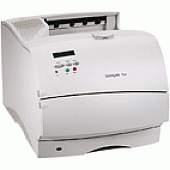
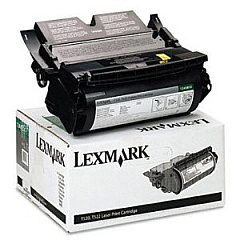
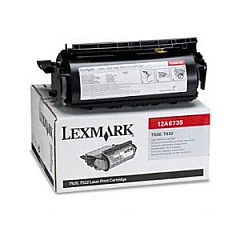
Enhance your printing experience with genuine Lexmark T520 Toner Cartridges, designed to deliver exceptional quality and reliability. The Lexmark T520 printer series relies on high-performance toner cartridges to produce crisp, professional documents. Choose from the Lexmark 12A6735 Black Toner Cartridge for standard yield or the Lexmark 12A6830 Black Toner Cartridge for high-capacity printing needs. These cartridges ensure consistent, sharp text and graphics, perfect for businesses, educational institutions, and healthcare facilities. To maintain optimal printer performance, don't forget the Lexmark Pick Roll Assembly (99A0076), which ensures smooth paper feeding. By using authentic Lexmark T520 Toner Cartridges and accessories, you'll maximize your printer's lifespan and minimize downtime, resulting in cost-effective and efficient printing solutions for your organization.

Lexmark T520 Toner Cartridges FAQs

  • What is the page yield of the Lexmark 12A6735 Black Toner Cartridge?

    The Lexmark 12A6735 Black Toner Cartridge has a page yield of approximately 7,500 pages at 5% coverage.

  • Is the Lexmark 12A6830 Black Toner Cartridge compatible with the Lexmark T520 printer?

    Yes, the Lexmark 12A6830 Black Toner Cartridge is fully compatible with the Lexmark T520 printer.

  • How often should I replace the Lexmark Pick Roll Assembly (99A0076)?

    The replacement frequency depends on usage, but typically, the Pick Roll Assembly should be replaced every 200,000 pages or when you notice paper feeding issues.

  • Can I use third-party toner cartridges in my Lexmark T520 printer?

    While third-party cartridges may work, using genuine Lexmark toner cartridges ensures optimal print quality and prevents potential damage to your printer.

  • What's the difference between the 12A6735 and 12A6830 toner cartridges?

    The main difference is the page yield. The 12A6830 is a high-yield cartridge, offering more prints per cartridge compared to the standard 12A6735.

  • How do I install a new toner cartridge in my Lexmark T520 printer?

    To install a new cartridge, open the front cover, remove the old cartridge, unpack the new one, and insert it into the printer until it clicks into place. Then close the cover.

  • Are these Lexmark T520 Toner Cartridges environmentally friendly?

    Yes, Lexmark offers a cartridge recycling program to help reduce environmental impact. You can return used cartridges to Lexmark for proper recycling.

  • How long do unopened Lexmark T520 Toner Cartridges last?

    Unopened toner cartridges can last up to two years when stored in a cool, dry place away from direct sunlight.

  • Can I use the same toner cartridges in other Lexmark printer models?

    These specific cartridges are designed for the Lexmark T520 and compatible models. Always check your printer's manual for the correct cartridge model numbers.

  • What should I do if I experience print quality issues with my Lexmark T520 Toner Cartridges?

    First, ensure the cartridge is properly installed. If issues persist, try printing a test page or cleaning the print head. If problems continue, contact Lexmark customer support for assistance.

Warehouse Locations

Policy & Agreement | Copyright © 1995-2026 BlueDogInk.com
