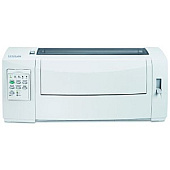





Lexmark 2580N Dot Matrix Printers Supplies

Ads

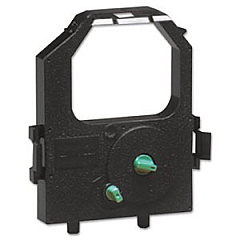
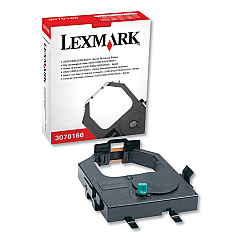
Lexmark 2580N Dot Matrix Ribbon

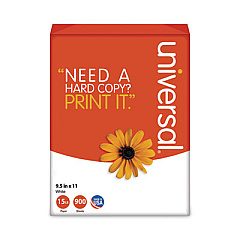
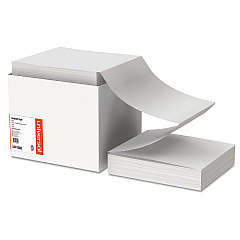
Lexmark 2580N Copy Paper

Ensure uninterrupted printing with high-quality Lexmark 2580N Ink Cartridges. These reliable supplies are designed specifically for the Lexmark 2580N printer, delivering crisp, professional results for your business documents. Choose between the Lexmark 11A3540 and 11A3550 Re-Inking Ribbons to meet your printing needs. These cartridges offer excellent print quality, long-lasting performance, and cost-effective solutions for high-volume printing environments. Whether you're in healthcare, education, government, or wholesale, these ink cartridges provide consistent output and reduce downtime. With easy installation and compatibility guaranteed, Lexmark 2580N Ink Cartridges are the smart choice for maintaining your printer's optimal performance. Don't compromise on quality – trust Lexmark's original supplies to keep your 2580N running smoothly and efficiently, ensuring your important documents always look their best.

Lexmark 2580N Dot Matrix Printers Supplies FAQs

  • What is the difference between Lexmark 11A3540 and 11A3550 Re-Inking Ribbons?

    The main difference is in their yield. The 11A3540 is a standard yield ribbon, while the 11A3550 is a high yield ribbon, offering more prints per cartridge.

  • How often should I replace the ink cartridge in my Lexmark 2580N printer?

    Replacement frequency depends on your printing volume. Generally, replace the cartridge when print quality diminishes or when prompted by the printer.

  • Are these ink cartridges compatible with other Lexmark printer models?

    These cartridges are specifically designed for the Lexmark 2580N printer. Always check your printer's manual for compatible cartridge models.

  • How many pages can I print with one Lexmark 2580N ink cartridge?

    Page yield varies depending on the specific cartridge and print content. The 11A3550 high yield ribbon typically offers more pages than the standard 11A3540.

  • Can I use third-party ink cartridges in my Lexmark 2580N printer?

    While third-party cartridges may work, using genuine Lexmark cartridges ensures optimal print quality and prevents potential damage to your printer.

  • How should I store unused ink cartridges?

    Store cartridges in a cool, dry place away from direct sunlight. Keep them in their original packaging until ready for use to maintain quality.

  • What should I do if my Lexmark 2580N printer doesn't recognize the new ink cartridge?

    Try removing and reinserting the cartridge. If the issue persists, clean the cartridge contacts and ensure it's properly seated in the printer.

  • Are Lexmark 2580N ink cartridges environmentally friendly?

    Lexmark offers a cartridge recycling program to minimize environmental impact. Check Lexmark's website for details on how to participate.

  • Can I refill my Lexmark 2580N ink cartridges?

    While refilling is possible, it's not recommended as it may affect print quality and potentially damage your printer. It's best to use new, genuine Lexmark cartridges.

  • How long is the shelf life of unopened Lexmark 2580N ink cartridges?

    Unopened cartridges typically have a shelf life of 1-2 years. Always check the expiration date on the packaging before use.

Warehouse Locations

Policy & Agreement | Copyright © 1995-2026 BlueDogInk.com
