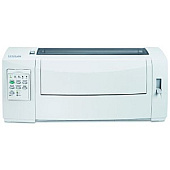





Lexmark 2580 Dot Matrix Printers Supplies

Ads

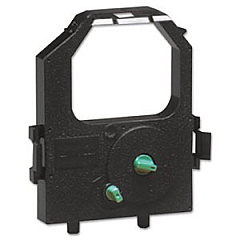
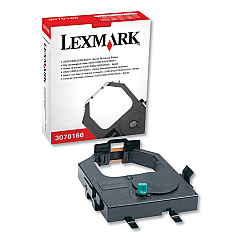
Lexmark 2580 Dot Matrix Ribbon

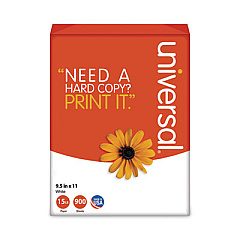
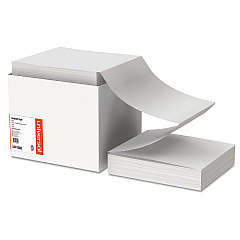
Lexmark 2580 Copy Paper

Ensure uninterrupted printing with high-quality Lexmark 2580 Ink Cartridges. These reliable supplies are designed specifically for the Lexmark 2580 printer, delivering crisp, clear text and graphics for all your business needs. Choose between the Lexmark 11A3540 Re-Inking Ribbon and the Lexmark 11A3550 Re-Inking Ribbon, both offering exceptional print quality and longevity. These cartridges are easy to install and provide consistent results, making them ideal for high-volume printing environments such as offices, schools, and healthcare facilities. With genuine Lexmark 2580 Ink Cartridges, you can count on optimal performance and reduced downtime, maximizing your printer's efficiency. Whether you're printing important documents, reports, or forms, these ink cartridges ensure your output always looks professional. Invest in Lexmark 2580 Ink Cartridges for reliable, high-quality printing that meets the demands of your busy workplace.

Lexmark 2580 Dot Matrix Printers Supplies FAQs

  • What is the difference between Lexmark 11A3540 and 11A3550 Re-Inking Ribbons?

    The main difference is in their yield. The 11A3540 typically has a lower page yield compared to the 11A3550, which is designed for higher volume printing.

  • How often should I replace my Lexmark 2580 Ink Cartridge?

    Replacement frequency depends on your printing volume. Generally, replace the cartridge when print quality diminishes or when the printer indicates low ink levels.

  • Are these ink cartridges compatible with other Lexmark printer models?

    These cartridges are specifically designed for the Lexmark 2580 printer. They may not be compatible with other Lexmark models.

  • How do I install a new ink cartridge in my Lexmark 2580 printer?

    Open the printer cover, remove the old cartridge, and insert the new one following the alignment guides. Close the cover and run a test print to ensure proper installation.

  • Can I use third-party ink cartridges in my Lexmark 2580 printer?

    While third-party cartridges may work, using genuine Lexmark cartridges ensures optimal print quality and prevents potential damage to your printer.

  • What is the shelf life of unopened Lexmark 2580 Ink Cartridges?

    Unopened cartridges typically have a shelf life of 1-2 years when stored properly in a cool, dry place.

  • How many pages can I print with a single Lexmark 2580 Ink Cartridge?

    Page yield varies depending on the specific cartridge model and print content. Check the product specifications for estimated page yields.

  • Are Lexmark 2580 Ink Cartridges environmentally friendly?

    Lexmark offers a cartridge recycling program to minimize environmental impact. Check Lexmark's website for details on how to recycle used cartridges.

  • Can I refill my Lexmark 2580 Ink Cartridges?

    While it's possible to refill cartridges, it's not recommended as it may affect print quality and potentially damage your printer. It's best to use new, genuine Lexmark cartridges.

  • What should I do if my printer doesn't recognize the new ink cartridge?

    Ensure the cartridge is properly installed and seated. If issues persist, clean the cartridge contacts and try reinstalling. If problems continue, contact Lexmark support for assistance.

Warehouse Locations

Policy & Agreement | Copyright © 1995-2026 BlueDogInk.com
