









Ads

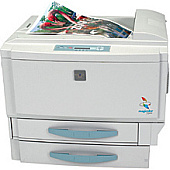
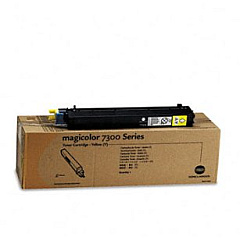
Konica Minolta Magicolor 7300 Color Toner Cartridges

Konica Minolta Magicolor 7300 Labels

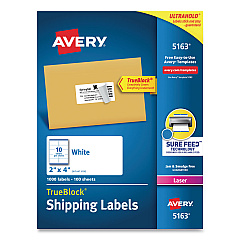
  • Avery 5163 Labels

    Item 5163

    Avery 5163 Labels

    Shipping Labels with TrueBlock Technology, Laser, 2 x 4, White, 1000/Box..

    Status

    In Stock

    $37.99

Konica Minolta Magicolor 7300 Copy Paper

Enhance your printing experience with genuine Konica Minolta Magicolor 7300 Toner Cartridges. These high-quality cartridges, including the Konica Minolta 1710530-002 Yellow Toner Cartridge, are designed to deliver exceptional color accuracy and sharp text for your business, educational, healthcare, or government printing needs. Compatible with the Magicolor 7300 printer series, these toner cartridges ensure consistent, professional-grade output for all your documents. With their long-lasting performance and high page yield, you'll minimize downtime and maximize productivity. Choose Konica Minolta Magicolor 7300 Toner Cartridges for vibrant colors, crisp blacks, and superior print quality that meets the demands of high-volume printing environments. Trust in the reliability and efficiency of genuine Konica Minolta supplies to keep your printer running smoothly and your prints looking their best.

Konica Minolta Magicolor 7300 Toner Cartridges FAQs

  • What is the page yield for Konica Minolta Magicolor 7300 Toner Cartridges?

    The page yield varies depending on the specific cartridge, but typically ranges from 7,500 to 15,000 pages at 5% coverage.

  • Are these toner cartridges compatible with other Konica Minolta printers?

    These cartridges are specifically designed for the Magicolor 7300 series. Always check your printer's compatibility before purchasing.

  • How long do Konica Minolta Magicolor 7300 Toner Cartridges last?

    The lifespan depends on usage, but under normal conditions, they can last several months to a year.

  • Can I use third-party toner cartridges in my Magicolor 7300 printer?

    While third-party options exist, using genuine Konica Minolta cartridges ensures optimal performance and maintains your printer's warranty.

  • How do I install a new toner cartridge in my Magicolor 7300 printer?

    Consult your printer's manual for specific instructions, but generally, you'll need to open the front panel, remove the old cartridge, and insert the new one until it clicks into place.

  • Are these toner cartridges environmentally friendly?

    Konica Minolta is committed to sustainability and offers recycling programs for used cartridges to minimize environmental impact.

  • What colors are available for the Magicolor 7300 Toner Cartridges?

    The Magicolor 7300 uses four colors: Cyan, Magenta, Yellow, and Black (CMYK).

  • How can I tell when it's time to replace my toner cartridge?

    Your printer will typically display a low toner warning. You may also notice a decrease in print quality or faded output.

  • Do Konica Minolta Magicolor 7300 Toner Cartridges come with a warranty?

    Yes, genuine Konica Minolta toner cartridges come with a manufacturer's warranty against defects.

  • Can I buy these toner cartridges in bulk for my business?

    Yes, many suppliers offer bulk purchasing options for businesses with high-volume printing needs.

Warehouse Locations

Policy & Agreement | Copyright © 1995-2026 BlueDogInk.com
