









Ads

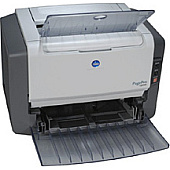
Konica Minolta PagePro 1350W Labels

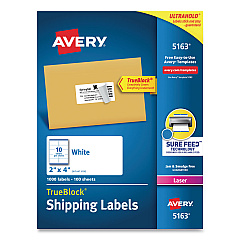
  • Avery 5163 Labels

    Item 5163

    Avery 5163 Labels

    Shipping Labels with TrueBlock Technology, Laser, 2 x 4, White, 1000/Box..

    Status

    In Stock

    $37.99

Konica Minolta PagePro 1350W Copy Paper

Ensure your Konica Minolta PagePro 1350W printer maintains its exceptional performance with our high-quality Konica Minolta PagePro 1350W Toner Cartridges. These reliable cartridges are designed to deliver crisp, clear prints for all your business, educational, or healthcare needs. Compatible with Avery 5163 Labels, these toner cartridges offer versatility for various printing tasks. Our genuine Konica Minolta toner ensures consistent output, reducing the risk of printer damage and minimizing downtime. Whether you're printing important documents, reports, or presentations, these cartridges provide the professional results you demand. With our competitive pricing and prompt delivery, you can keep your printer running smoothly without breaking the budget. Trust in the superior quality of Konica Minolta PagePro 1350W Toner Cartridges for all your printing requirements, and experience the difference in print clarity and reliability.

Konica Minolta PagePro 1350W Toner Cartridges FAQs

  • How long does a Konica Minolta PagePro 1350W toner cartridge typically last?

    A standard Konica Minolta PagePro 1350W toner cartridge typically yields around 3,000 pages at 5% coverage.

  • Are these toner cartridges compatible with Avery 5163 Labels?

    Yes, the Konica Minolta PagePro 1350W Toner Cartridges are compatible with Avery 5163 Labels, offering versatility in printing tasks.

  • Can I use third-party toner cartridges in my Konica Minolta PagePro 1350W printer?

    While third-party cartridges may work, we recommend using genuine Konica Minolta toner cartridges for optimal performance and to avoid potential printer damage.

  • How do I install a new toner cartridge in my Konica Minolta PagePro 1350W printer?

    To install a new cartridge, open the printer's front cover, remove the old cartridge, unpack the new one, and insert it until it clicks into place. Then close the cover.

  • What should I do if my prints are coming out faded or streaky?

    If prints are faded or streaky, try gently shaking the toner cartridge to redistribute the toner. If the issue persists, it may be time to replace the cartridge.

  • Are these toner cartridges environmentally friendly?

    Konica Minolta is committed to environmental sustainability. Many of their toner cartridges can be recycled through their recycling program.

  • How should I store unused toner cartridges?

    Store unused cartridges in a cool, dry place away from direct sunlight. Keep them in their original packaging until ready for use to protect them from damage and extend their shelf life.

  • Can I use the same toner cartridge for color printing?

    No, the Konica Minolta PagePro 1350W is a monochrome printer, so it only uses black toner cartridges. It cannot print in color.

  • What's the warranty on these toner cartridges?

    Genuine Konica Minolta toner cartridges typically come with a warranty against defects in materials and workmanship. Please check the specific product packaging for detailed warranty information.

  • How can I tell if my toner cartridge is running low?

    The Konica Minolta PagePro 1350W printer usually has indicator lights or messages on its display panel to alert you when toner is running low. You may also notice a gradual fading of print quality.

Warehouse Locations

Policy & Agreement | Copyright © 1995-2026 BlueDogInk.com
