




Ads

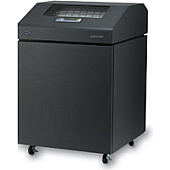
IBM Infoprint 6500 V05 Printer Ribbon

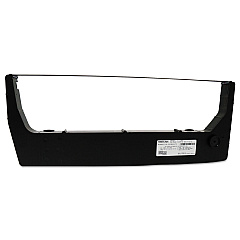
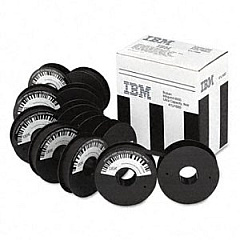
IBM Infoprint 6500 V05 Dot Matrix Ribbon

Discover top-quality IBM Infoprint 6500 V05 Printers Supplies at Blue Dog Ink. Our comprehensive selection includes the essential IBM 41U1680 Ultra Capacity Ribbon, designed to deliver exceptional print quality and longevity for your high-volume printing needs. These premium supplies are specifically engineered to optimize the performance of your IBM Infoprint 6500 V05 printer, ensuring crisp, clear text and graphics with every print job. Whether you're in a bustling office, educational institution, or healthcare facility, our reliable supplies will keep your printer running smoothly and efficiently. By choosing genuine IBM supplies, you'll maximize your printer's lifespan and minimize downtime. Trust Blue Dog Ink to provide the best IBM Infoprint 6500 V05 Printers Supplies, backed by our commitment to customer satisfaction and competitive pricing. Elevate your printing experience with our top-tier products today.

IBM Infoprint 6500 V05 Printers Supplies FAQs

  • What is the page yield of the IBM 41U1680 Ultra Capacity Ribbon?

    The IBM 41U1680 Ultra Capacity Ribbon has a page yield of approximately 60 million characters.

  • Is the IBM 41U1680 ribbon compatible with other printer models?

    The IBM 41U1680 ribbon is specifically designed for the IBM Infoprint 6500 V05 printer and may not be compatible with other models.

  • How often should I replace the ribbon in my IBM Infoprint 6500 V05 printer?

    Ribbon replacement frequency depends on usage, but typically, you should replace it when print quality begins to deteriorate or after reaching the specified page yield.

  • Are there any special storage requirements for the IBM 41U1680 ribbon?

    Store the ribbon in a cool, dry place away from direct sunlight. Keep it in its original packaging until ready for use to maintain quality.

  • Can I use third-party ribbons in my IBM Infoprint 6500 V05 printer?

    While third-party ribbons may work, using genuine IBM supplies is recommended to ensure optimal print quality and prevent potential damage to your printer.

  • How do I install the IBM 41U1680 ribbon in my printer?

    Consult your printer's user manual for specific installation instructions. Generally, you'll need to open the printer cover, remove the old ribbon, and carefully insert the new one following the guided path.

  • What should I do if I experience print quality issues with my IBM Infoprint 6500 V05 printer?

    First, check if the ribbon needs replacement. If issues persist, clean the print head and ensure the ribbon is properly installed. If problems continue, contact technical support.

  • Does Blue Dog Ink offer bulk discounts on IBM Infoprint 6500 V05 supplies?

    Yes, we offer volume discounts on bulk orders. Please contact our customer service team for more information on bulk pricing.

  • What is the shelf life of the IBM 41U1680 Ultra Capacity Ribbon?

    When stored properly, the IBM 41U1680 ribbon typically has a shelf life of 1-2 years. Always check the packaging for specific expiration dates.

  • Is the IBM 41U1680 ribbon environmentally friendly?

    IBM designs its products with environmental considerations in mind. However, for specific details on the environmental impact of this ribbon, please consult IBM's product documentation or contact their customer support.

Warehouse Locations

Policy & Agreement | Copyright © 1995-2026 BlueDogInk.com
