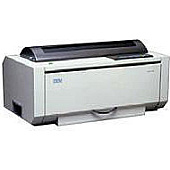
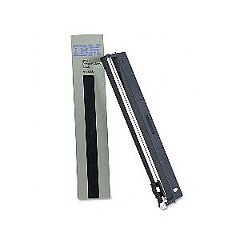





IBM InfoPrint 4247-V03 Dot Matrix Printers Supplies

Ads

IBM InfoPrint 4247-V03 Dot Matrix Ribbon

Ensure uninterrupted performance with genuine IBM InfoPrint 4247-V03 Dot Matrix Printers Supplies. These high-quality consumables are specifically designed for optimal functionality in demanding business, educational, governmental, healthcare, and wholesale environments. The IBM 57P1743 Printer Ribbon, a key component of these supplies, delivers crisp, clear text and graphics, making it ideal for high-volume printing tasks. With its long-lasting formula, this ribbon reduces downtime and maintenance costs, allowing your organization to maintain peak productivity. Compatible with the robust IBM InfoPrint 4247-V03 printer, these supplies are engineered to withstand rigorous use while consistently producing professional-quality output. Invest in authentic IBM supplies to protect your printer investment and guarantee reliable performance for all your critical printing needs.

IBM InfoPrint 4247-V03 Dot Matrix Printers Supplies FAQs

  • How long does the IBM 57P1743 Printer Ribbon typically last?

    The IBM 57P1743 Printer Ribbon typically lasts for approximately 25 million characters, depending on usage and print density.

  • Is the IBM 57P1743 Printer Ribbon compatible with other printer models?

    The IBM 57P1743 Printer Ribbon is specifically designed for the IBM InfoPrint 4247-V03 printer. It may not be compatible with other models.

  • How can I tell when it's time to replace the printer ribbon?

    Replace the ribbon when print quality becomes faint or inconsistent, or when you notice gaps in the printed characters.

  • Are there any special storage requirements for the IBM 57P1743 Printer Ribbon?

    Store the ribbon in a cool, dry place away from direct sunlight. Keep it in its original packaging until ready for use to prevent damage or drying out.

  • Can I use third-party ribbons with my IBM InfoPrint 4247-V03 printer?

    While third-party ribbons may work, using genuine IBM supplies ensures optimal performance and prevents potential damage to your printer.

  • How do I install the IBM 57P1743 Printer Ribbon?

    Consult your printer's user manual for specific instructions. Generally, you'll need to open the printer cover, remove the old ribbon, and carefully insert the new one following the guided path.

  • What should I do if I experience print quality issues after installing a new ribbon?

    Ensure the ribbon is properly installed and seated. If issues persist, clean the print head and check for any obstructions in the paper path.

  • Are the IBM InfoPrint 4247-V03 Dot Matrix Printers Supplies environmentally friendly?

    IBM strives to produce environmentally responsible products. However, for specific details on the environmental impact of these supplies, please contact IBM directly.

  • Can I recycle used IBM 57P1743 Printer Ribbons?

    Check with your local recycling facilities for options. Many areas have programs for recycling printer consumables, including ribbons.

  • What is the warranty on IBM InfoPrint 4247-V03 Dot Matrix Printers Supplies?

    Warranty information can vary. Please check the packaging or contact the seller for specific warranty details on these supplies.

Warehouse Locations

Policy & Agreement | Copyright © 1995-2026 BlueDogInk.com
