










Ads

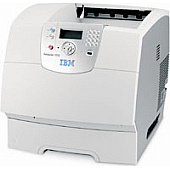
IBM Infoprint 1572 Black Toner Cartridges

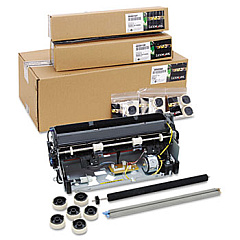
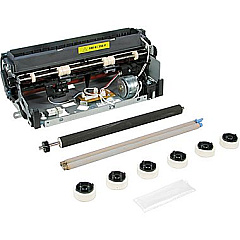
IBM Infoprint 1572 Maintenance Kits

IBM Infoprint 1572 Copy Paper

Ensure uninterrupted, high-quality printing with genuine IBM Infoprint 1572 Toner Cartridges. These reliable cartridges are specifically designed for optimal performance in your IBM Infoprint 1572 printer, delivering crisp, professional-grade output for all your business needs. Choose between the IBM 75P6959 and IBM 75P6961 Black Toner Cartridges, both offering exceptional print quality and impressive page yields. These cartridges are perfect for busy offices, educational institutions, government agencies, and healthcare facilities that demand consistent, top-notch results. By using authentic IBM toner, you'll maximize your printer's efficiency, reduce downtime, and maintain the longevity of your device. Don't compromise on quality – trust IBM Infoprint 1572 Toner Cartridges for all your printing requirements. Experience the difference in clarity, reliability, and cost-effectiveness that only genuine IBM supplies can provide.

IBM Infoprint 1572 Toner Cartridges FAQs

  • What is the page yield for IBM 75P6959 and 75P6961 toner cartridges?

    The IBM 75P6959 has a yield of approximately 21,000 pages, while the IBM 75P6961 yields about 14,000 pages at 5% coverage.

  • Are these toner cartridges compatible with other IBM printer models?

    These cartridges are specifically designed for the IBM Infoprint 1572 printer. Always check your printer's manual for compatible cartridge models.

  • How long do these toner cartridges typically last?

    The lifespan of the cartridges depends on print volume and coverage. Under normal use, they can last several months to a year.

  • Can I use third-party or refilled cartridges in my IBM Infoprint 1572?

    While third-party options exist, using genuine IBM cartridges ensures optimal print quality and prevents potential damage to your printer.

  • How do I install a new toner cartridge in the IBM Infoprint 1572?

    Consult your printer's manual for specific instructions, but generally, you'll need to open the front cover, remove the old cartridge, and insert the new one until it clicks into place.

  • What's the difference between the IBM 75P6959 and 75P6961 cartridges?

    The main difference is the page yield. The 75P6959 has a higher yield of 21,000 pages, while the 75P6961 yields 14,000 pages.

  • Are these toner cartridges environmentally friendly?

    IBM has a recycling program for used cartridges, promoting environmental responsibility. Check IBM's website for details on their recycling initiatives.

  • How can I tell if my toner cartridge is running low?

    Your printer should display a low toner warning. You may also notice a gradual decrease in print quality as the toner depletes.

  • Do these cartridges come with a warranty?

    Yes, genuine IBM toner cartridges typically come with a warranty. Check the packaging or IBM's website for specific warranty information.

  • Can I buy these cartridges in bulk for my business?

    Many suppliers offer bulk purchasing options for businesses. Contact your preferred vendor or IBM directly to inquire about bulk order discounts.

Warehouse Locations

Policy & Agreement | Copyright © 1995-2026 BlueDogInk.com
