










Ads

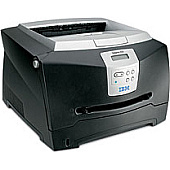
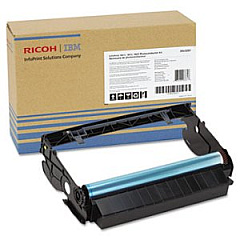
IBM Infoprint 1512n Drum Units

IBM Infoprint 1512n Copy Paper

IBM Infoprint 1512n Photo Paper

Ensure uninterrupted printing with high-quality IBM Infoprint 1512n Toner Cartridges. These reliable cartridges are designed specifically for the IBM Infoprint 1512n printer, delivering crisp text and sharp images for all your business documents. The IBM 75P5712 Photoconductor is a key component in maintaining optimal print quality, ensuring consistent results page after page. With these genuine IBM supplies, you can count on superior performance, reduced downtime, and cost-effective printing. Whether you're printing reports, presentations, or everyday correspondence, these toner cartridges provide the professional results you need. Don't compromise on quality – choose IBM Infoprint 1512n Toner Cartridges for dependable, high-quality output that meets the demands of your busy office environment. Maximize your printer's potential and enjoy exceptional print quality with these authentic IBM supplies.

IBM Infoprint 1512n Toner Cartridges FAQs

  • What is the page yield of the IBM Infoprint 1512n toner cartridge?

    The page yield varies depending on the specific cartridge model, but it typically ranges from 3,000 to 6,000 pages at 5% coverage.

  • Are compatible toner cartridges available for the IBM Infoprint 1512n?

    Yes, compatible toner cartridges are available, but using genuine IBM cartridges is recommended for optimal performance and print quality.

  • How often should I replace the IBM 75P5712 Photoconductor?

    The photoconductor typically needs replacement after processing about 30,000 pages, but this may vary based on usage patterns.

  • Can I recycle used IBM Infoprint 1512n toner cartridges?

    Yes, IBM offers a recycling program for used toner cartridges. Check their website or contact customer support for details.

  • How can I extend the life of my IBM Infoprint 1512n toner cartridge?

    To extend cartridge life, use draft mode for internal documents, print in grayscale when possible, and avoid unnecessary printing.

  • Are these toner cartridges compatible with other IBM printer models?

    These cartridges are specifically designed for the IBM Infoprint 1512n and may not be compatible with other models. Always check your printer's specifications.

  • How do I install a new toner cartridge in the IBM Infoprint 1512n?

    Consult your printer's user manual for step-by-step instructions on replacing the toner cartridge. Generally, it involves opening the printer, removing the old cartridge, and inserting the new one.

  • What should I do if I experience print quality issues with my IBM Infoprint 1512n?

    First, check if the toner cartridge needs replacement. If issues persist, clean the printer's interior and ensure the photoconductor is functioning properly. Consult the user manual for troubleshooting steps.

  • Can I use third-party toner in my IBM Infoprint 1512n printer?

    While third-party toner may work, it can potentially damage your printer or void the warranty. For best results and to protect your printer, use genuine IBM toner cartridges.

  • How should I store unused IBM Infoprint 1512n toner cartridges?

    Store unused cartridges in a cool, dry place away from direct sunlight. Keep them in their original packaging until ready for use to protect them from dust and damage.

Warehouse Locations

Policy & Agreement | Copyright © 1995-2026 BlueDogInk.com
