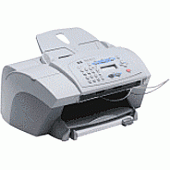





HP OfficeJet V40 Multifunction Printers Supplies

Ads

HP OfficeJet V40 Color Ink Cartridges

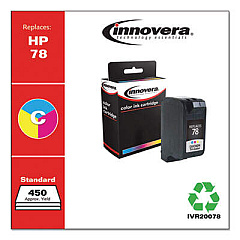
Ensure your HP OfficeJet V40 printer continues to deliver exceptional prints with our high-quality HP OfficeJet V40 Ink Cartridges. These reliable cartridges, including the Innovera Remanufactured Tri-Color Ink, Replacement For 78 (C6578DN), are designed to meet the demanding needs of businesses, educational institutions, government offices, healthcare facilities, and wholesale operations. Our ink cartridges provide vibrant colors and sharp text, allowing you to produce professional-looking documents and eye-catching presentations. Compatible with your HP OfficeJet V40 printer, these cartridges offer consistent performance and long-lasting results. By choosing our ink cartridges, you'll not only maintain the quality of your prints but also benefit from cost-effective solutions that help reduce your overall printing expenses. Trust in our HP OfficeJet V40 Ink Cartridges to keep your printer running smoothly and your documents looking their best.

HP OfficeJet V40 Multifunction Printers Supplies FAQs

  • Are these ink cartridges compatible with my HP OfficeJet V40 printer?

    Yes, these ink cartridges are specifically designed for use with the HP OfficeJet V40 printer.

  • What is the difference between OEM and remanufactured ink cartridges?

    OEM cartridges are made by the original equipment manufacturer (HP), while remanufactured cartridges are recycled and refilled by third-party companies.

  • How long do these ink cartridges typically last?

    The lifespan of ink cartridges varies depending on usage, but they generally last for several hundred pages.

  • Are remanufactured ink cartridges as good as OEM cartridges?

    Remanufactured cartridges from reputable brands like Innovera often provide comparable quality to OEM cartridges at a lower cost.

  • Can I use these cartridges for printing photos?

    Yes, these cartridges are suitable for printing both text documents and high-quality photos.

  • How do I install the ink cartridges in my HP OfficeJet V40 printer?

    Open the printer's front cover, remove the old cartridge, and insert the new one until it clicks into place. Close the cover and follow any on-screen prompts.

  • Do these cartridges come with a warranty?

    Yes, most ink cartridges come with a warranty. Please check the product details for specific warranty information.

  • How should I store unused ink cartridges?

    Store unused cartridges in a cool, dry place away from direct sunlight. Keep them in their original packaging until ready for use.

  • Can I recycle empty ink cartridges?

    Yes, many office supply stores and manufacturers offer recycling programs for empty ink cartridges.

  • What should I do if the cartridge doesn't work properly?

    First, ensure it's properly installed. If issues persist, contact our customer support for troubleshooting assistance or a replacement.

Warehouse Locations

Policy & Agreement | Copyright © 1995-2026 BlueDogInk.com
