










Ads

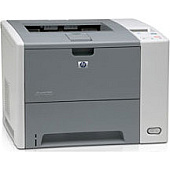
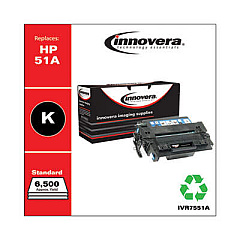
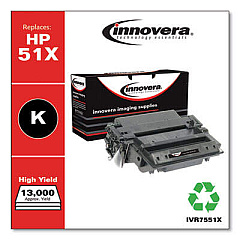
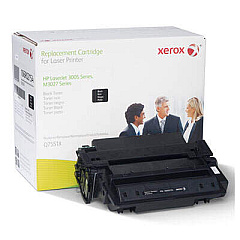
HP LaserJet P3005n Black Toner Cartridges

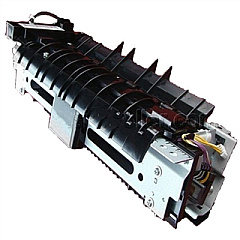
HP LaserJet P3005n Fusers

HP LaserJet P3005n Maintenance Kits

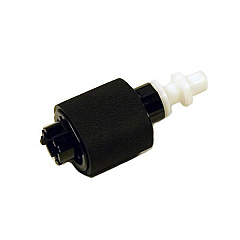
  • HP RL1-1370 Pickup Roller

    Item RL1-1370

    HP RL1-1370 Pickup Roller

    RL1-1370 (RL1-1370-000CN) Paper pickup roller - Picks up media from the paper in..

    Status

    In Stock

    $4.99

HP LaserJet P3005n Copy Paper

Ensure uninterrupted, high-quality printing with genuine HP LaserJet P3005n Toner Cartridges. These reliable cartridges are specifically designed for the HP LaserJet P3005n printer, delivering crisp text and sharp images for all your business, educational, or healthcare printing needs. The HP RL1-1370 Pickup Roller ensures smooth paper feeding, while the HP RM1-3717 Fuser Assembly guarantees proper toner adhesion for long-lasting prints. By choosing authentic HP supplies, you'll maximize your printer's performance and extend its lifespan. These cartridges offer excellent page yield and consistent output quality, making them a cost-effective choice for high-volume printing environments. Whether you're printing important documents, reports, or presentations, HP LaserJet P3005n Toner Cartridges provide the reliability and professional results you need to make a lasting impression.

HP LaserJet P3005n Toner Cartridges FAQs

  • What is the page yield of HP LaserJet P3005n Toner Cartridges?

    The standard black toner cartridge typically yields around 6,500 pages, while the high-yield cartridge can print up to 13,000 pages.

  • Are these toner cartridges compatible with other HP LaserJet models?

    These cartridges are specifically designed for the HP LaserJet P3005n. Always check your printer's compatibility before purchasing.

  • How often should I replace the HP RL1-1370 Pickup Roller?

    The pickup roller should be replaced every 100,000 to 150,000 pages or when you notice paper feed issues.

  • What is the function of the HP RM1-3717 Fuser Assembly?

    The fuser assembly melts and bonds the toner to the paper, ensuring proper adhesion and print quality.

  • Can I use third-party toner cartridges in my HP LaserJet P3005n?

    While third-party cartridges may work, using genuine HP cartridges ensures optimal performance and print quality.

  • How do I install a new toner cartridge in the HP LaserJet P3005n?

    Open the front cover, remove the old cartridge, and insert the new one until it clicks into place. Close the cover to complete installation.

  • Are these toner cartridges environmentally friendly?

    Yes, HP offers a recycling program for used toner cartridges to minimize environmental impact.

  • How long do unopened toner cartridges last?

    Unopened toner cartridges can last up to two years if stored in a cool, dry place away from direct sunlight.

  • What should I do if I experience print quality issues?

    First, check if the toner is low. If not, try cleaning the printer and replacing the fuser assembly if necessary.

  • Does using genuine HP toner cartridges affect my printer's warranty?

    No, using genuine HP toner cartridges will not void your printer's warranty and is recommended for optimal performance.

Warehouse Locations

Policy & Agreement | Copyright © 1995-2026 BlueDogInk.com
