




Ads

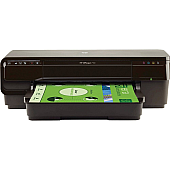
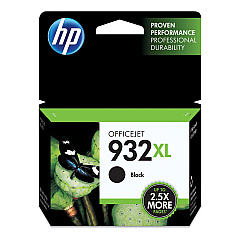
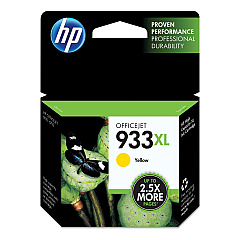
HP Officejet 7110 Black Ink Cartridges

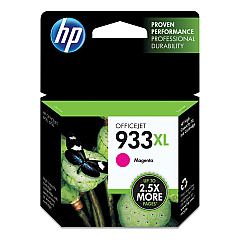
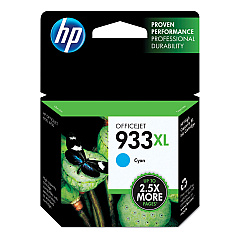
HP Officejet 7110 Color Ink Cartridges

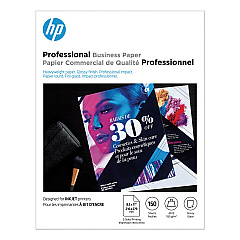
HP Officejet 7110 Photo Paper

Keep your HP Officejet 7110 printer running smoothly with our high-quality HP Officejet 7110 Ink Cartridges. This versatile wide-format printer demands reliable ink supplies to produce stunning prints up to 13 x 19 inches. Our selection includes the essential HP CN053AN Black Ink Cartridge for crisp text and sharp lines, as well as the vibrant HP CN054AN Cyan, HP CN055AN Magenta, and HP CN056AN Yellow Ink Cartridges for vivid color output. These genuine HP cartridges are designed to work seamlessly with your Officejet 7110, ensuring consistent performance and professional-quality results. Whether you're printing marketing materials, presentations, or large-format documents, these ink cartridges deliver exceptional page yields and resist fading for long-lasting prints. Trust our HP Officejet 7110 Ink Cartridges to meet the demands of your busy office or home printing needs.

HP Officejet 7110 Ink Cartridges FAQs

  • How long do HP Officejet 7110 Ink Cartridges typically last?

    The lifespan of ink cartridges varies depending on usage, but on average, they can last for 200-300 pages for color cartridges and 400-500 pages for black cartridges.

  • Are these ink cartridges compatible with other HP printers?

    These specific cartridges are designed for the HP Officejet 7110 printer. Always check your printer's compatibility before purchasing ink cartridges.

  • Can I use third-party ink cartridges in my HP Officejet 7110?

    While third-party cartridges may work, using genuine HP cartridges ensures the best print quality and prevents potential damage to your printer.

  • How do I install new ink cartridges in my HP Officejet 7110?

    Open the ink cartridge access door, wait for the carriage to move to the center, remove the old cartridge, insert the new one, and close the access door. The printer will automatically align the cartridges.

  • What should I do if my printer doesn't recognize the new ink cartridge?

    Try removing and reinserting the cartridge, cleaning the contacts, or running the printer's cleaning utility. If issues persist, contact HP support.

  • How can I check the ink levels in my HP Officejet 7110?

    You can check ink levels through the printer's control panel or by using the HP software on your computer.

  • Are these ink cartridges recyclable?

    Yes, HP offers a free recycling program for used ink cartridges. Visit the HP website for details on how to recycle your cartridges.

  • What's the shelf life of unopened HP Officejet 7110 Ink Cartridges?

    Unopened cartridges typically have a shelf life of 24 months from the date of manufacture when stored properly.

  • Can I use HP Instant Ink with these cartridges?

    The HP Officejet 7110 is not compatible with the HP Instant Ink program. You'll need to purchase cartridges as needed.

  • What should I do if my prints are coming out faded or streaky?

    Try running the printer's cleaning utility. If the problem persists, you may need to replace one or more of the ink cartridges.

Warehouse Locations

Policy & Agreement | Copyright © 1995-2026 BlueDogInk.com
