









Ads

HP LaserJet M1536dnf Black Toner Cartridges

HP LaserJet M1536dnf Toner Set

HP LaserJet M1536dnf Copy Paper

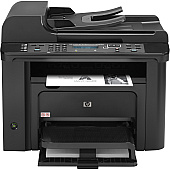
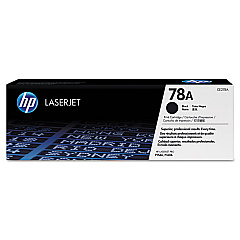
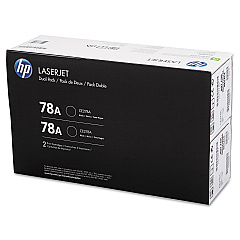
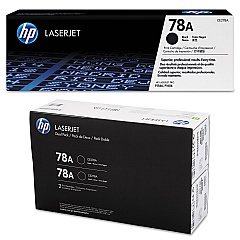
Ensure optimal performance for your HP LaserJet M1536dnf with our premium HP LaserJet M1536dnf Toner Cartridges. These high-quality cartridges deliver crisp, professional-grade prints for your business, educational, or healthcare needs. Choose from the cost-effective HP 78A Black Toner Cartridge Tri-Pack (CE278AT1) for high-volume printing, the standard HP CE278A Black Toner Cartridge for everyday use, or the convenient HP CE278D Toner Cartridge Dual Pack for balanced efficiency. Each cartridge is designed to seamlessly integrate with your printer, providing consistent, smudge-free results page after page. With these genuine HP toner cartridges, you'll experience enhanced print quality, reduced downtime, and improved overall productivity. Whether you're printing important documents, reports, or presentations, trust our HP LaserJet M1536dnf Toner Cartridges to deliver exceptional results every time.

HP LaserJet M1536dnf Toner Cartridges FAQs

  • What is the page yield for the HP CE278A Black Toner Cartridge?

    The HP CE278A Black Toner Cartridge has an approximate page yield of 2,100 pages based on 5% coverage.

  • Are these toner cartridges compatible with other HP LaserJet models?

    These cartridges are specifically designed for the HP LaserJet M1536dnf. Always check your printer's compatibility before purchasing.

  • How long do these toner cartridges typically last?

    The lifespan of a toner cartridge depends on usage, but under normal conditions, they can last 18-24 months from the date of purchase.

  • Can I use third-party or refilled cartridges in my HP LaserJet M1536dnf?

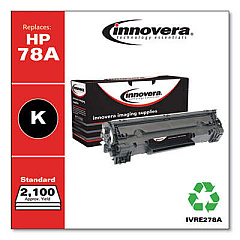
    While third-party cartridges may work, using genuine HP toner cartridges ensures optimal print quality and prevents potential damage to your printer.

  • What's the difference between the Tri-Pack, Dual Pack, and single cartridge options?

    The Tri-Pack and Dual Pack offer multiple cartridges at a discounted price, ideal for high-volume printing. Single cartridges are best for occasional use.

  • How do I install a new toner cartridge in my HP LaserJet M1536dnf?

    Open the printer's front cover, remove the old cartridge, unpack the new one, and insert it until it clicks into place. Close the cover to complete installation.

  • Are these toner cartridges environmentally friendly?

    Yes, HP offers a recycling program for used toner cartridges, helping to reduce environmental impact.

  • What should I do if I experience print quality issues with these cartridges?

    First, ensure the cartridge is properly installed. If issues persist, try printing a test page or cleaning the printer. Contact HP support if problems continue.

  • Do these toner cartridges come with a warranty?

    Yes, genuine HP toner cartridges come with a warranty against defects in materials and workmanship.

  • How can I tell if my toner cartridge is running low?

    Your HP LaserJet M1536dnf will display a low toner warning on its control panel when the cartridge is nearing the end of its life.

Warehouse Locations

Policy & Agreement | Copyright © 1995-2026 BlueDogInk.com
