









Ads

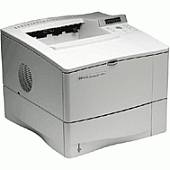
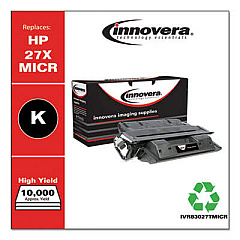
HP LaserJet 4050T Black Toner Cartridges

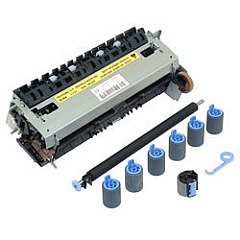
HP LaserJet 4050T Maintenance Kits

HP LaserJet 4050T Printer Parts

HP LaserJet 4050T Copy Paper

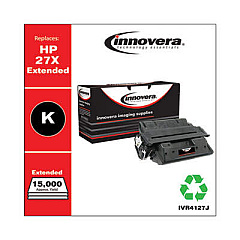
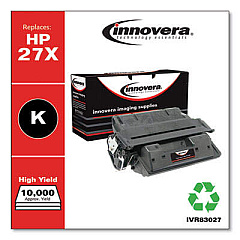
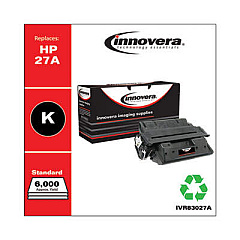
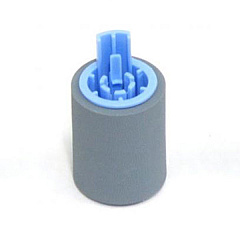
Ensure uninterrupted printing with genuine HP LaserJet 4050T Toner Cartridges. These high-quality cartridges are designed specifically for the HP LaserJet 4050T printer, delivering crisp, professional-grade text and graphics. The HP RF5-1885 Feed/Separation Roller is a crucial component that works seamlessly with these toner cartridges to maintain smooth paper handling and prevent misfeeds. By choosing authentic HP supplies, you'll maximize your printer's performance and longevity. These toner cartridges offer excellent page yield, reducing the frequency of replacements and lowering your overall printing costs. Whether you're printing important business documents, educational materials, or healthcare records, HP LaserJet 4050T Toner Cartridges provide the reliability and quality you need. Trust in HP's advanced technology to keep your printing operations running smoothly and efficiently.

HP LaserJet 4050T Toner Cartridges FAQs

  • What is the page yield of HP LaserJet 4050T Toner Cartridges?

    The standard HP LaserJet 4050T Toner Cartridge typically yields around 10,000 pages at 5% coverage.

  • Are compatible toner cartridges available for the HP LaserJet 4050T?

    Yes, compatible cartridges are available, but using genuine HP cartridges is recommended for optimal performance and print quality.

  • How often should I replace the HP RF5-1885 Feed/Separation Roller?

    The roller should be replaced approximately every 200,000 pages or when you notice paper feeding issues.

  • Can I recycle used HP LaserJet 4050T Toner Cartridges?

    Yes, HP offers a free recycling program for used toner cartridges through their HP Planet Partners initiative.

  • How do I install a new toner cartridge in the HP LaserJet 4050T?

    Open the printer's front cover, remove the old cartridge, unpack the new one, and insert it into the printer until it clicks into place.

  • What should I do if I experience print quality issues with my HP LaserJet 4050T?

    First, try cleaning the printer and replacing the toner cartridge. If issues persist, check the drum unit or consult HP support.

  • Are high-yield toner cartridges available for the HP LaserJet 4050T?

    Yes, HP offers high-yield cartridges that can print more pages than standard cartridges, reducing the frequency of replacements.

  • How long can I store unused HP LaserJet 4050T Toner Cartridges?

    Unopened toner cartridges can be stored for up to two years in a cool, dry place without affecting their performance.

  • Can I use HP LaserJet 4050T Toner Cartridges in other printer models?

    These cartridges are designed specifically for the HP LaserJet 4050T and may not be compatible with other models. Always check your printer's compatibility before purchasing.

  • How can I tell if my HP LaserJet 4050T Toner Cartridge is running low?

    The printer's control panel will display a low toner warning. You may also notice a gradual decrease in print quality as the toner depletes.

Warehouse Locations

Policy & Agreement | Copyright © 1995-2026 BlueDogInk.com
