









Ads

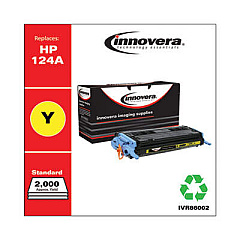
HP LaserJet 2605 Black Toner Cartridges

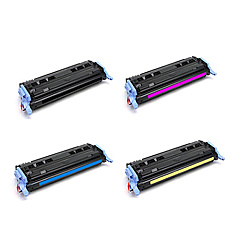
HP LaserJet 2605 Color Toner Cartridges

HP LaserJet 2605 Toner Set

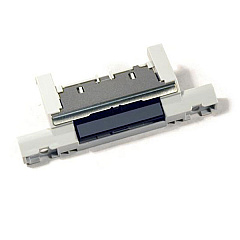
HP LaserJet 2605 Printer Parts

HP LaserJet 2605 Copy Paper

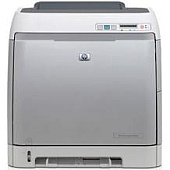
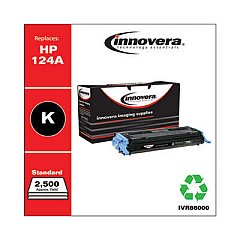
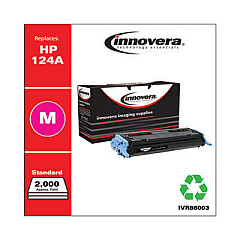
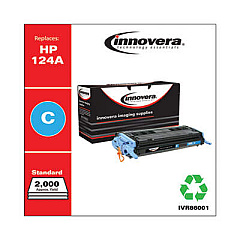
Enhance your printing experience with genuine HP LaserJet 2605 Toner Cartridges, designed to deliver exceptional quality and reliability. These high-performance cartridges are specifically engineered for the HP LaserJet 2605 printer, ensuring crisp text and vibrant colors in every print. Compatible with the HP RM1-1922 Separation Pad Assembly, these toner cartridges offer seamless integration and optimal functionality. Whether you're printing important business documents, educational materials, or healthcare reports, these cartridges provide consistent results page after page. With their long-lasting performance and eco-friendly design, HP LaserJet 2605 Toner Cartridges are the ideal choice for businesses, schools, government offices, and healthcare facilities looking to maximize productivity and minimize waste. Trust in HP's superior technology to meet your printing needs efficiently and cost-effectively.

HP LaserJet 2605 Toner Cartridges FAQs

  • What is the page yield of HP LaserJet 2605 Toner Cartridges?

    The page yield varies depending on the specific cartridge model, but typically ranges from 2,000 to 4,000 pages for standard cartridges.

  • Are these toner cartridges compatible with other HP LaserJet models?

    These cartridges are specifically designed for the HP LaserJet 2605 printer. They may not be compatible with other models.

  • How long do HP LaserJet 2605 Toner Cartridges last?

    The lifespan of the cartridges depends on usage, but they typically last several months under normal printing conditions.

  • Can I recycle used HP LaserJet 2605 Toner Cartridges?

    Yes, HP offers a recycling program for used toner cartridges. Check their website for details on how to participate.

  • Are these cartridges available in different colors?

    Yes, HP LaserJet 2605 Toner Cartridges are available in black, cyan, magenta, and yellow.

  • What is the HP RM1-1922 Separation Pad Assembly?

    The HP RM1-1922 Separation Pad Assembly is a component that helps separate individual sheets of paper during the printing process.

  • How do I install HP LaserJet 2605 Toner Cartridges?

    Installation is simple. Open the printer's front cover, remove the old cartridge, and insert the new one until it clicks into place.

  • Are these cartridges covered by a warranty?

    Yes, genuine HP toner cartridges come with a warranty against defects in materials and workmanship.

  • Can I use third-party or refilled cartridges in my HP LaserJet 2605?

    While third-party cartridges may work, HP recommends using genuine HP cartridges for optimal performance and to maintain your printer's warranty.

  • How can I tell if my HP LaserJet 2605 Toner Cartridge is running low?

    Your printer will display a low toner warning on its control panel or through your computer's print dialog when the cartridge is running low.

Warehouse Locations

Policy & Agreement | Copyright © 1995-2026 BlueDogInk.com
