









Ads

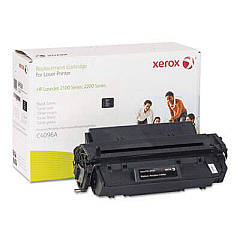
HP LaserJet 2100xi Black Toner Cartridges

HP LaserJet 2100xi Copy Paper

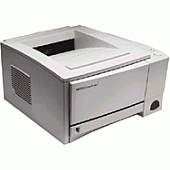
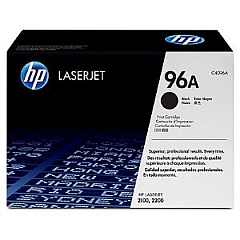
Ensure uninterrupted printing with genuine HP LaserJet 2100xi Toner Cartridges. These high-quality cartridges are specifically designed for optimal performance in your HP LaserJet 2100xi printer, delivering crisp, professional-grade text and graphics. The HP C4096A Black Toner Cartridge offers exceptional yield and reliability, making it ideal for businesses, educational institutions, and healthcare facilities with high-volume printing needs. With its advanced toner formulation, you'll experience consistent output quality from the first page to the last. These cartridges are not only cost-effective but also environmentally friendly, as they're part of HP's recycling program. Don't compromise on quality – choose authentic HP LaserJet 2100xi Toner Cartridges for your printing needs and enjoy superior results, reduced downtime, and enhanced productivity in your workplace.

HP LaserJet 2100xi Toner Cartridges FAQs

  • What is the page yield of the HP C4096A Black Toner Cartridge?

    The HP C4096A Black Toner Cartridge has an approximate yield of 5,000 pages at 5% coverage.

  • Is the HP C4096A compatible with other LaserJet models?

    Yes, the HP C4096A is compatible with several LaserJet models, including the 2100, 2200, and 2300 series.

  • How can I tell if my HP LaserJet 2100xi Toner Cartridge is genuine?

    Look for the HP hologram security label and check the packaging for authenticity features.

  • What should I do with my used HP LaserJet 2100xi Toner Cartridges?

    HP offers a free recycling program for used toner cartridges. Visit their website for details on how to return them.

  • How long can I store an unopened HP LaserJet 2100xi Toner Cartridge?

    Unopened cartridges can typically be stored for up to two years in proper conditions.

  • Can I use refilled or remanufactured cartridges in my HP LaserJet 2100xi?

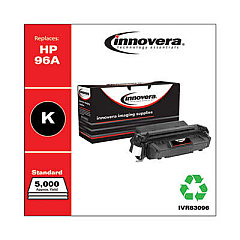
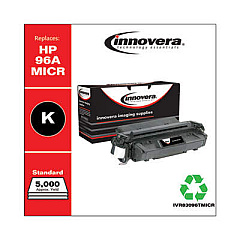
    While you can use third-party cartridges, HP recommends using genuine HP toner for optimal print quality and printer performance.

  • How do I install a new toner cartridge in my HP LaserJet 2100xi?

    Open the printer's front cover, remove the old cartridge, unpack the new one, and insert it until it clicks into place. Close the cover to complete installation.

  • What should I do if my prints are coming out faded or streaky?

    Try redistributing the toner by gently shaking the cartridge. If the issue persists, it may be time to replace the cartridge.

  • Are HP LaserJet 2100xi Toner Cartridges covered under warranty?

    Yes, genuine HP toner cartridges come with a warranty against defects in materials and workmanship.

  • Can I buy HP LaserJet 2100xi Toner Cartridges in bulk for my business?

    Yes, many suppliers offer bulk purchasing options for businesses with high-volume printing needs.

Warehouse Locations

Policy & Agreement | Copyright © 1995-2026 BlueDogInk.com
