









Ads

HP LaserJet 2100M Black Toner Cartridges

HP LaserJet 2100M Copy Paper

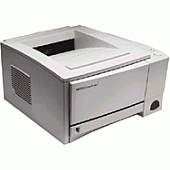
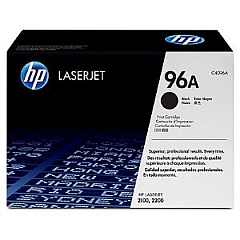
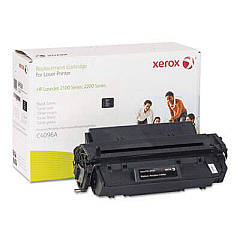
Ensure uninterrupted printing with genuine HP LaserJet 2100M Toner Cartridges. These high-quality cartridges are specifically designed for the HP LaserJet 2100M printer, delivering crisp, professional-grade text and graphics. The HP C4096A Black Toner Cartridge offers exceptional yield and reliability, making it ideal for businesses, educational institutions, and healthcare facilities with high-volume printing needs. With its advanced toner formulation, you'll experience consistent output quality from the first page to the last. These cartridges are engineered to work seamlessly with your HP LaserJet 2100M, minimizing paper jams and maximizing efficiency. By choosing authentic HP toner, you're not only guaranteeing superior print quality but also protecting your printer's longevity. Trust in HP LaserJet 2100M Toner Cartridges for all your monochrome printing requirements.

HP LaserJet 2100M Toner Cartridges FAQs

  • What is the page yield of the HP C4096A Black Toner Cartridge?

    The HP C4096A Black Toner Cartridge has an approximate yield of 5,000 pages at 5% coverage.

  • Is the HP C4096A compatible with other HP LaserJet models?

    Yes, the HP C4096A is also compatible with HP LaserJet 2100, 2200 series printers.

  • How long does an HP C4096A toner cartridge typically last?

    The lifespan depends on usage, but under normal conditions, it can last 3-6 months for average users.

  • Are there any environmental benefits to using genuine HP toner cartridges?

    Yes, HP offers a recycling program for used cartridges, helping to reduce environmental impact.

  • Can I use third-party or refilled cartridges in my HP LaserJet 2100M?

    While possible, it's not recommended as it may affect print quality and could potentially damage your printer.

  • How can I tell if my HP C4096A cartridge is genuine?

    Look for the HP hologram security label and check the packaging for authenticity features.

  • What should I do if my printer doesn't recognize the new toner cartridge?

    Try removing and reinserting the cartridge. If the issue persists, check for any protective tape or packaging material that may not have been removed.

  • Is it normal for the printer to make noise when installing a new cartridge?

    Yes, it's normal for the printer to make some noise as it primes the new cartridge.

  • How should I store unused toner cartridges?

    Store them in a cool, dry place away from direct sunlight. Keep them in their original packaging until ready to use.

  • Can I shake the toner cartridge to extend its life?

    Gently rocking the cartridge side to side can help redistribute toner and may temporarily extend its life, but it's not a long-term solution.

Warehouse Locations

Policy & Agreement | Copyright © 1995-2026 BlueDogInk.com
